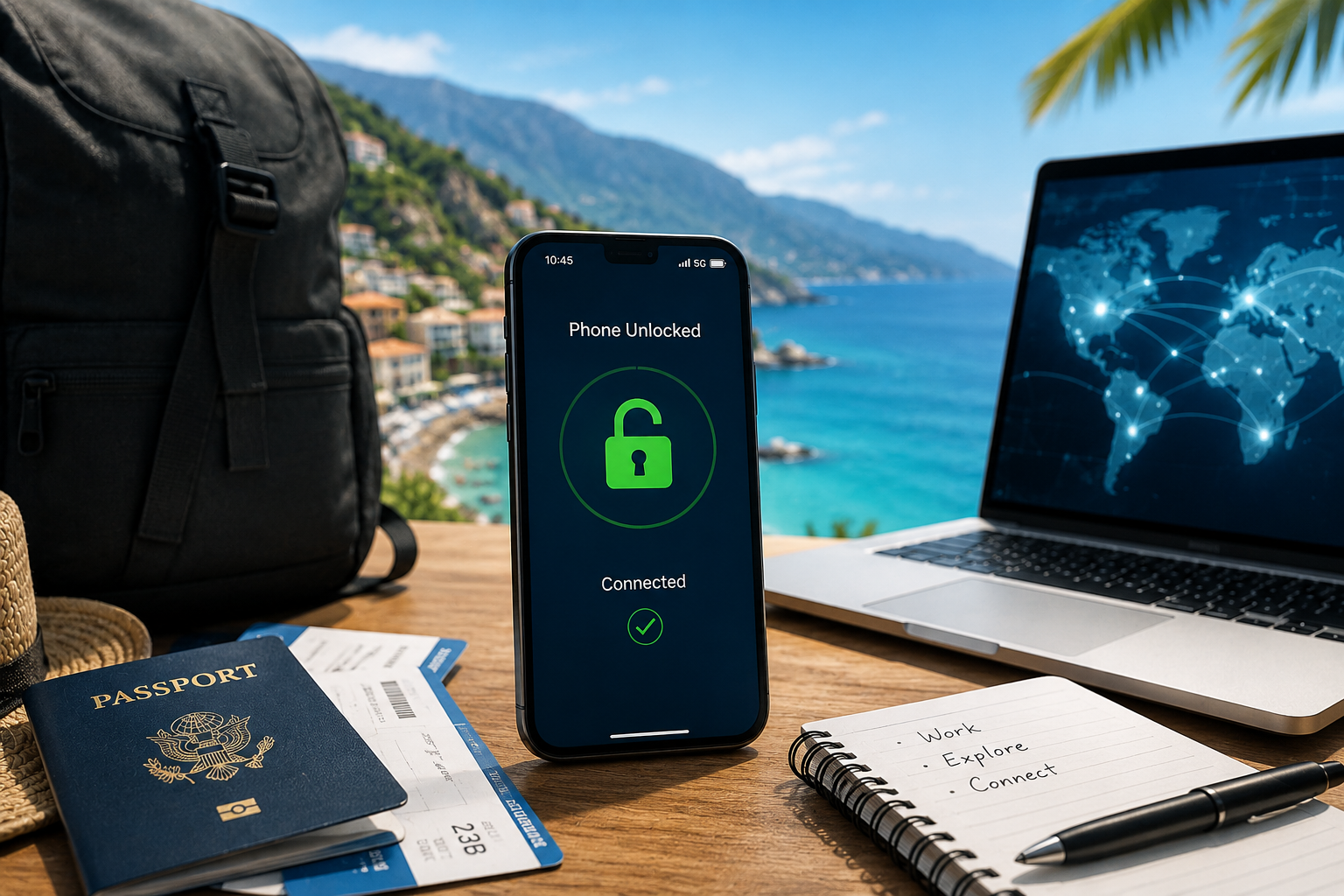
Digital Nomads: Unlocking Phones for Seamless Connectivity

Introduction: The Rise of the Digital Nomad Lifestyle

Remote work has reshaped how people live and travel. In 2026, more professionals embrace location independence, working from different countries while staying connected online. For this lifestyle, a digital nomad unlock is not just a convenience—it is a necessity.

Digital nomads rely on stable internet access for meetings, communication, and daily tasks. However, mobile connectivity varies across regions. Without the ability to switch carriers freely, staying connected becomes difficult and expensive.

Unlocking your phone is the first step toward seamless global connectivity. It ensures your device works wherever your work takes you.


Why Unlocked Phones Are Essential for Digital Nomads

Freedom to Choose Any Network

An unlocked phone allows you to connect to local carriers in any country. This flexibility is crucial when working across different regions.

With a digital nomad unlock, you can:

  • Avoid being tied to one carrier
  • Switch networks based on coverage
  • Choose the best data plans available locally

Reliable Connectivity Anywhere

Connectivity quality varies by location. Some areas have strong coverage from specific carriers, while others do not.

Unlocked devices allow you to:

  • Select the strongest available network
  • Maintain stable internet for work
  • Avoid disruptions during important tasks

No Dependence on Roaming

Roaming charges can be unpredictable and expensive. For digital nomads, this is not sustainable.

Unlocked phones eliminate this issue by allowing:

  • Use of local SIM cards
  • Access to regional data plans
  • Better cost control

SIM and eSIM Flexibility on the Road

Physical SIM Cards for Local Access

Local SIM cards remain a popular option for travelers. They offer:

  • Affordable data plans
  • Reliable local coverage
  • Easy access in most countries

With a digital nomad unlock, switching SIM cards becomes simple and efficient.


eSIM: The Modern Solution

eSIM technology has transformed how digital nomads stay connected.

Benefits include:

  • Instant activation without physical SIMs
  • Ability to store multiple profiles
  • Easy switching between carriers

Many modern devices support both physical SIM and eSIM, giving users maximum flexibility.


Dual-SIM Advantage

Some devices allow dual-SIM or hybrid SIM setups. This enables:

  • Keeping a home number active
  • Using a local data plan simultaneously
  • Managing business and personal communication

Unlocked devices fully unlock this potential.


How Unlocking Supports Cost Savings and Connectivity

Lower Data Costs

Local plans are significantly cheaper than international roaming. Unlocking allows you to take advantage of these savings.

For example, instead of paying high roaming fees, you can:

  • Purchase a prepaid local plan
  • Use regional eSIM packages
  • Access competitive pricing across carriers

Better Network Performance

Local carriers often provide stronger and faster connections than roaming networks.

Unlocking ensures you can:

  • Connect directly to local infrastructure
  • Use full network speeds
  • Access 4G, 5G, and emerging technologies

Long-Term Value

A digital nomad unlock is a one-time step that provides ongoing benefits.

Once unlocked, your phone:

  • Works globally
  • Retains higher resale value
  • Remains flexible for future travel

Tools and Tips for Digital Nomads

1. Check Network Compatibility

Before traveling, verify that your device supports the bands used in your destination.

This ensures optimal performance after unlocking.


2. Use Reliable IMEI Unlocking

IMEI-based unlocking provides permanent results. It ensures your device remains unlocked even after updates or resets.


3. Plan Connectivity in Advance

Research:

  • Local carriers
  • Data plans
  • eSIM providers

Planning ahead helps you stay connected from day one.


4. Keep Backup Options

Always have a backup connectivity plan, such as:

  • A secondary SIM
  • A global eSIM profile
  • Portable Wi-Fi solutions

This ensures uninterrupted work.


5. Test Your Device

Before departure:

  1. Insert a SIM from another carrier
  2. Confirm network access
  3. Verify data connectivity

Testing ensures your digital nomad unlock is working properly.


Common Challenges and How to Solve Them

Limited Network Compatibility

Some devices may not support all global bands.

Solution: Choose carriers that match your device’s supported frequencies.


eSIM Activation Issues

Occasionally, eSIM setup may fail due to carrier restrictions.

Solution: Ensure your phone is fully unlocked and updated before activation.


Unexpected Connectivity Drops

Network performance can vary by region.

Solution: Switch to a different carrier or use a backup connection.


Conclusion: Unlock Your Device for True Location Freedom

The digital nomad lifestyle depends on reliable connectivity. Without it, remote work becomes difficult and unpredictable.

A digital nomad unlock ensures your phone works across borders, carriers, and technologies. It gives you the freedom to choose how and where you connect—without limitations.

Our unlocking service is designed for global workers who need reliable, flexible connectivity anywhere in the world. We provide permanent, secure unlocking solutions that support both SIM and eSIM usage.

If you want to stay connected wherever your work takes you, contact us today and unlock your phone for true global freedom.

5G-Advanced & Unlocking: What’s Changing?

Introduction: What Is 5G-Advanced and Why It Matters

The next evolution of mobile connectivity is here. As networks continue to evolve, 5G-Advanced unlocking is becoming an important topic for users who want their devices to stay compatible with future technologies.

5G-Advanced represents a major upgrade to current 5G networks. It brings faster speeds, lower latency, and improved efficiency. However, it also introduces new layers of complexity in how devices connect to networks—especially when carrier restrictions are involved.

For users, this raises a key question: how does 5G-Advanced impact phone unlocking and device compatibility?

The answer is reassuring. While network technology evolves, the fundamentals of unlocking remain stable. However, understanding the interaction between unlocking and next-generation networks is essential for making the most of your device.


What Is 5G-Advanced?

5G-Advanced is the next phase of 5G development, often referred to as “5.5G.” It builds on existing 5G infrastructure and enhances performance across multiple areas.

Key Features of 5G-Advanced

  • Faster data speeds and improved bandwidth
  • Lower latency for real-time applications
  • Better network efficiency and reliability
  • Enhanced support for IoT and connected devices

Telecom providers are gradually rolling out 5G-Advanced capabilities starting in 2026, with broader adoption expected over the coming years.


How 5G-Advanced Impacts Phone Locking and Unlocking

Unlocking Still Works the Same Way

Despite the technological leap, unlocking remains based on the same principle:

  • Carrier locks are tied to the device’s IMEI
  • Unlocking updates the carrier database
  • The device becomes free to connect to compatible networks

This means unlock 5G phones processes remain unchanged even with 5G-Advanced networks.


What Changes with 5G-Advanced

While unlocking itself does not change, the environment around it becomes more advanced.

Key differences include:

  • More complex network configurations
  • Increased reliance on advanced frequency bands
  • Greater variation between carrier implementations

As a result, unlocking becomes even more important to ensure full access to these evolving networks.


Device Compatibility Considerations

Hardware Still Matters

Unlocking removes carrier restrictions, but it does not change the device’s hardware capabilities.

To fully benefit from 5G-Advanced, your phone must support:

  • Relevant frequency bands
  • Advanced 5G features
  • Carrier-specific technologies

An unlocked phone can access any compatible network, but compatibility depends on the device itself.


Software and Firmware Updates

Manufacturers are releasing updates to support 5G-Advanced features. Keeping your device updated ensures:

  • Better network performance
  • Improved compatibility with new carriers
  • Access to enhanced features

Unlocked devices typically receive updates without restrictions, which is a significant advantage.


Carrier Differences in 5G-Advanced Rollout

Uneven Global Deployment

Not all carriers will adopt 5G-Advanced at the same pace. Some regions will see faster deployment, while others may take longer to upgrade infrastructure.

This creates differences in:

  • Available network features
  • Supported frequency bands
  • Coverage quality

Why Unlocking Matters More Than Ever

Because carriers evolve at different speeds, users benefit from flexibility. An unlocked device allows you to:

  • Switch to carriers with better 5G-Advanced coverage
  • Access new features as they become available
  • Avoid being tied to a slower network rollout

This flexibility ensures your device stays relevant as networks evolve.


What Users Should Do Before Switching to 5G-Advanced

Step 1: Check Device Compatibility

Before upgrading networks, confirm that your device supports the necessary 5G bands and features.


Step 2: Ensure Your Phone Is Unlocked

Unlocking removes carrier restrictions and allows your device to connect to any compatible 5G-Advanced network.


Step 3: Update Software

Install the latest firmware updates to ensure compatibility with new network technologies.


Step 4: Compare Carrier Options

Different carriers may offer varying levels of 5G-Advanced coverage. Choose the provider that best fits your needs.


Step 5: Test Network Performance

After switching, test your connection to ensure optimal performance and compatibility.


Common Misconceptions About 5G and Unlocking

“Unlocking Improves 5G Speed”

Unlocking does not increase speed directly. However, it allows access to better networks, which can improve performance.


“All 5G Phones Support 5G-Advanced”

Not all devices support the latest features. Hardware compatibility remains essential.


“Carrier Locking Does Not Affect 5G”

Carrier restrictions can limit access to certain networks, which may impact performance and coverage. Unlocking removes these limitations.


The Future of Unlocking in a 5G-Advanced World

As networks evolve, user expectations also change. People want:

  • Instant carrier switching
  • Global compatibility
  • Seamless connectivity across regions

Unlocking remains the key enabler of these capabilities.

With 5G-Advanced, the importance of unlocking grows even further. It ensures that devices can adapt to new technologies without limitations.


Unlocking for the Next Generation of Networks

The transition to 5G-Advanced unlocking marks a new chapter in mobile connectivity. While the technology behind networks evolves, the role of unlocking remains essential.

An unlocked device ensures access to the best available networks, both today and in the future. It allows users to take full advantage of new features without being limited by carrier restrictions.

Our unlocking service ensures your device stays compatible with future networks, including 5G-Advanced. We provide reliable, permanent unlocking solutions that give you the freedom to switch carriers and access the latest technologies.

If you want to future-proof your device and stay ahead of network changes, contact us today and unlock your phone with confidence.

Phone Won’t Receive Unlock Notification? Here’s the Fix

Introduction: Why Unlock Notifications Matter

When you request a phone unlock, you usually expect a confirmation message telling you the process is complete. This notification often arrives as a system message, email, or carrier alert. However, many users encounter a frustrating situation: the unlock request seems approved, but the unlock notification is not received.

When this happens, the phone may still appear locked, even though the unlock request is in progress or already processed. Understanding why the notification fails and how to fix the issue can save time and prevent unnecessary delays.

This guide explains the most common causes of missing unlock notifications and provides practical step-by-step solutions that work in 2025.


Why Unlock Notifications Sometimes Fail

Unlock notifications rely on several systems working together. Carriers, device firmware, network connectivity, and server updates must all synchronize. If one step fails, the notification may never appear.

The good news is that most unlock notification issues are easy to resolve once you identify the cause.


Common Causes of Missing Unlock Notifications

Network Connectivity Issues

Your phone must connect to the carrier network to receive unlock updates. If the device is offline, using airplane mode, or connected only to Wi-Fi, the notification may not arrive.

Temporary signal interruptions can delay the message even if the unlock request has already been approved.

IMEI Processing Delays

Unlock requests rely on the phone’s IMEI number. Carriers update their databases when the request is approved.

Sometimes the update occurs, but the notification delivery lags behind. In these cases, the device may already be unlocked even though no confirmation message appears.

Carrier System Delays

Carriers process large volumes of unlock requests every day. During busy periods, database updates and notification messages may take longer than expected.

Some carriers also require manual verification before sending confirmation messages.

SIM Card or Profile Issues

An outdated SIM card or inactive profile may prevent the device from receiving carrier notifications. This situation occurs most often when users change SIM cards before the unlock completes.

Device Software Glitches

Occasionally, the phone’s operating system simply fails to display the message. Firmware updates, cached network settings, or notification restrictions may block the alert from appearing.


Step-by-Step Fixes When the Unlock Notification Is Not Received

Follow these steps in order to resolve the issue and confirm whether your device has been unlocked.

Step 1: Restart Your Phone

Start with the simplest fix. Restarting the device refreshes network connections and reloads system notifications.

After restarting:

  • Wait a few minutes for the phone to reconnect to the network
  • Check whether the unlock message appears automatically

In many cases, the notification arrives shortly after the reboot.


Step 2: Check Network Connection

Ensure the phone connects to the carrier network properly.

To do this:

  1. Disable airplane mode if enabled
  2. Confirm mobile signal strength
  3. Toggle mobile data off and back on

If the phone reconnects successfully, the unlock update may download automatically.


Step 3: Insert a Different SIM Card

Testing with another carrier SIM is one of the fastest ways to confirm unlock status.

Steps:

  1. Power off the phone
  2. Insert a SIM card from another carrier
  3. Turn the device back on

If the device connects to the new network, the phone is already unlocked—even if the notification never appeared.


Step 4: Refresh Network Settings

Network configuration errors can prevent unlock updates from registering. Resetting the network settings often resolves the issue.

Typical steps include:

  • Open device settings
  • Navigate to network or connectivity options
  • Select “Reset network settings”

After the reset, reconnect to the network and test the SIM again.


Step 5: Check Unlock Status in Device Settings

Some devices display unlock status directly within system settings.

Examples:

  • iPhone: Settings → General → About → Carrier Lock
  • Android: Network settings or SIM status section

If the device shows “No SIM restrictions” or similar wording, the unlock completed successfully.


Step 6: Wait for Carrier Processing

If the unlock request remains pending, it may simply require more time.

Carrier processing can take anywhere from several hours to several days depending on verification requirements. During this time, notifications may arrive unexpectedly once the request finishes.


When to Escalate to Support

If you have followed the steps above and the phone still will not unlock, it may be time to escalate the issue.

Contact support if:

  • The unlock request shows approved but the device remains locked
  • The notification has not arrived after several days
  • The phone displays “SIM not supported” even with another carrier

A support team can verify the IMEI status and confirm whether the unlock has been processed correctly.


Preventing Unlock Notification Issues in the Future

Although unlock notifications sometimes fail, a few best practices reduce the likelihood of delays.

Keep the Original SIM Installed

Maintaining the original SIM card during the unlock process helps ensure the phone receives the notification properly.

Avoid Frequent SIM Swapping

Switching SIM cards repeatedly before the unlock completes may interfere with the update process.

Ensure Device Software Is Up to Date

Keeping your phone updated ensures compatibility with carrier unlocking systems.

Use Reliable Unlock Services

Professional unlocking services coordinate directly with carrier databases, reducing delays and notification issues.


Conclusion: Unlock Your Phone Without Delays

When the unlock notification is not received, it does not always mean the process failed. In many cases, the unlock simply completed without the device displaying the confirmation message.

By checking network connections, testing with another SIM card, and verifying device settings, most users can confirm the unlock quickly.

Our unlocking service focuses on reliability and transparency. By processing unlock requests directly through verified channels, we help users avoid delays and notification issues altogether.

If your phone still refuses to unlock or you want a faster and more predictable solution, contact us today and let our team handle the process with confidence.

Carrier Lock Policies Updates (e.g., Verizon’s 60-Day Unlock Debate)

Introduction: Why Carrier Policies Keep Changing

Mobile carriers constantly re-evaluate their device-lock policies — often in response to fraud, resale markets, regulatory pressure, or business strategy. As a user or reseller, this can feel confusing: one day a phone is eligible to unlock, the next the rules shift.

In 2025, key providers are reconsidering their unlock timelines or tightening eligibility conditions — which directly affects when and how you can free your device. Understanding these updates is essential if you want to unlock your phone quickly and reliably.

This article breaks down what’s new with carrier lock policies, especially in the U.S. and Europe — why changes matter, and how a trusted unlocking service can help you stay compliant and ready.


Verizon’s 60-Day Unlock Debate

What is the 60-Day Rule?

Verizon’s long-standing policy has been to keep devices locked for the first 60 days after activation (postpaid and prepaid alike) before automatically removing the lock.

This lock period was originally part of licensing conditions tied to its network spectrum. After 60 days — assuming the device isn’t flagged for theft or fraud and the account is in good standing — the device should unlock automatically.

What Changed in 2025

In May 2025, Verizon filed a petition with the Federal Communications Commission (FCC) requesting the right to extend the lock period beyond 60 days. Their argument: the 60-day rule makes subsidized devices vulnerable to resale fraud and international trafficking.

If approved, this would allow Verizon to set a longer — potentially six-month or more — lock before unlock eligibility.

Why It Matters

  • Devices bought under Verizon may remain locked longer, even if you meet previous eligibility criteria (paid device, active account, etc.).
  • Automatic unlock after 60 days may no longer be guaranteed — you may have to wait longer or meet additional conditions.
  • For travelers, resellers, or people switching carriers, this increases uncertainty and reduces flexibility.

Bottom line: If you rely on Verizon’s auto-unlock rule, 2025 changes could delay freedom — so you might need a more reliable unlocking solution.


What About Other Major Carriers?

AT&T

AT&T generally allows devices to be unlocked once they meet a few criteria: the device must be bought over 60 days ago (or fully paid off), it can’t be active on another account, and the account must be in good standing.

However, after a policy update in 2023, even fully paid devices now must wait 60 days — a change from prior policy which sometimes allowed immediate unlock for outright purchases.

T-Mobile

T-Mobile typically supports unlocks after 40 days for postpaid customers, assuming all other eligibility criteria are met.

For prepaid or MVNO-affiliated lines, unlock rules can differ widely, often requiring longer service periods or manual unlocking procedures.

European and Global Carriers (e.g., Vodafone and Others)

Policies vary: some providers unlock quickly, others tie it to contract completion or retail sale conditions. For many global carriers, unlocking remains possible — but rules change often depending on local regulations, market strategy, and subsidy models.

Because of the variability, it’s harder to state a universal unlocking timeframe for Europe and other regions.


What Users Should Know (in 2026)

With these shifting policies, here’s what you need to keep in mind when you plan to unlock:

  • Lock periods may change. Carriers may extend waiting times (e.g., Verizon’s petition).
  • Payoff and account status still matter. Even if the device is paid off, unpaid bills or account issues can prevent unlock.
  • Carriers treat post-paid and prepaid differently. Prepaid or MVNO devices often have stricter or longer unlock eligibility terms.
  • Automatic unlocks are not guaranteed any more. With policy revisions, “auto-unlock” could become manual or optional.
  • Fraud, theft, or reporting flags block unlock entirely. If a device is flagged as stolen or tied to fraud, unlock is denied — permanently.

For users, that means uncertainty. A device you expect to unlock in two months may now take six — making travel, resale, or carrier switching tricky.


How to Unlock Faster — 3 Smart Strategies

If carrier policies become stricter, you still have ways to reclaim flexibility and control.

1. Check Carrier Requirements Carefully

Before buying or unlocking:

  • Confirm purchase date and activation date.
  • Ensure device is fully paid off (no financing or installment obligations).
  • Verify your account is in good standing.
  • Confirm that the device is not reported lost, stolen, or flagged.

Meeting all criteria increases your chance of eligibility once the carrier’s lock period ends.

2. Time Your Unlock Request Strategically

If you’re with carriers known for lock delays (or you purchased recently), consider unlocking before you have immediate need — for example, before travel or resale — to avoid surprises.

3. Use a Trusted Third-Party Unlock Service

Because carriers may tighten or delay unlock policies, a reliable third-party unlocking company can often bypass delay risks by using official, IMEI-based unlock methods. This ensures:

  • Permanent unlock, regardless of carrier policy changes.
  • Compatibility with both SIM and eSIM devices.
  • Transparency, refund guarantees, and prompt unlock delivery.

If your carrier changes unlock rules after you’ve started using their network — or you bought a used device — using an unlocking service can protect your freedom and flexibility.


What This Means for the Unlocking Industry

These shifting policies also affect unlocking businesses and the broader market:

  • Demand for third-party unlocking services is likely to increase — especially if carriers extend lock periods.
  • Users will seek providers with transparent, reliable, and fast unlock methods — not those relying on carrier cooperation.
  • International users, resale marketplaces, and frequent travelers will value services guaranteeing global SIM/eSIM compatibility independent of carrier policy.

In short: as carriers tighten or complicate unlocking rules, independent unlocking services become more relevant than ever.


Conclusion: Stay Flexible — Unlock Smart

Carrier lock policies are changing in 2025. With major players like Verizon pushing for longer unlock delays, and others tweaking eligibility requirements, relying solely on carriers for unlocking has become uncertain.

That’s why professional unlocking services have never mattered more. They keep up with policy changes, use official IMEI-based methods, and offer consistent results — giving you true freedom over your phone, regardless of carrier restrictions.

Our unlocking service stays up to date with all carrier policy changes and ensures your device is unlocked permanently, legally, and globally compatible.

If you want to avoid getting stuck waiting on carrier delays — or if you’re planning travel, resale, or carrier switching — contact us today to get your unlock processed quickly and stress-free.

Why You Can’t Unlock Your Phone: Top 5 Carrier Barriers

Introduction: Why Unlocking Fails

Unlocking your phone should be simple — finish your payments, request the unlock, and enjoy freedom across any carrier. Yet, for many users, the process doesn’t go as planned. Even after meeting all the stated requirements, they still get the same frustrating message: “Your device is not eligible for unlocking.”

Why does this happen? Because carriers don’t always make their policies fully transparent. Behind every “60-day unlock rule” or “automatic unlock policy” lie multiple exceptions, regional differences, and system limitations.

In this article, we’ll explain the top five barriers that prevent phones from unlocking — and how to overcome each one with expert, carrier-approved solutions.


1. Active Contract or Installment Plan

One of the most common reasons your phone won’t unlock is that it’s still tied to an active contract or financing agreement.

When a phone is purchased on an installment plan or through a carrier subsidy, the carrier retains control until all payments are complete. Even if the device appears “paid off” in your account, small outstanding fees, insurance payments, or early upgrade balances can still block the unlock request.

How to Fix It

  • Check your payment history: Ensure all installments and early termination fees are paid in full.
  • Contact your carrier: Request confirmation that your balance is cleared and your device is eligible.
  • If delays persist: Professional unlocking services can often process IMEI-based unlocks that bypass these internal carrier delays while remaining official and permanent.

Tip: Always unlock before transferring ownership or canceling your carrier plan. Once an account is closed, the unlock process becomes more complicated.


2. Outstanding Balance or Account Debt

Even a small overdue amount can stop a phone from being unlocked. Carriers typically flag any account with an unpaid balance, even if the phone itself is fully paid off.

This can also apply to shared family or business accounts — one unpaid line can block the unlock of all devices under that account.

How to Fix It

  • Check your billing cycle: Make sure your latest payment has been processed. Sometimes, unlock requests are denied simply because a payment is still pending in the system.
  • Clear any balance: Even a minor overdue amount must be paid before the unlock can proceed.
  • Use a professional unlocking provider: If your account is closed but the device remains locked, an IMEI-based unlocking service can help unlock it safely without needing the original carrier’s approval.

Key insight: Carriers rarely disclose these details upfront, but outstanding balances are one of the biggest hidden causes of failed unlock requests.


3. Blacklisted or Blocked IMEI

Every mobile phone has a unique ID number called an IMEI (International Mobile Equipment Identity). Carriers use it to identify lost, stolen, or unpaid devices.

If a phone is blacklisted, it means it’s reported as lost, stolen, or associated with unpaid financial obligations. Blacklisted phones can’t be unlocked or used with most networks until their IMEI is cleared from the database.

Common Causes of Blacklisted IMEIs

  • The phone was reported stolen or lost by a previous owner.
  • The previous user defaulted on payments or stopped service abruptly.
  • The device was part of a carrier fraud or insurance claim.

How to Fix It

  • Check your IMEI: You can verify your device status using any reputable IMEI checker online.
  • If you bought secondhand: Contact the seller for proof of purchase or request they resolve the issue with their carrier.
  • If legitimate ownership is proven: Some unlocking providers can work with carrier partners to clear IMEI restrictions when possible.

Pro tip: Always check the IMEI before buying a used device — especially from marketplaces or private sellers.


4. Unlock Request Not Processed or Delayed

Sometimes, the issue isn’t a policy barrier — it’s simply a carrier system delay. Even after 60 or 90 days of service, some phones fail to unlock automatically because of technical errors or incomplete requests.

Carriers receive thousands of unlock requests daily, and automated systems occasionally miss updates or fail to sync IMEI data correctly. The result? Your phone stays locked longer than it should.

How to Fix It

  • Verify your eligibility: Confirm with your carrier that your device meets all requirements.
  • Submit a new request: Some carriers allow you to reapply through their online unlock portals.
  • Restart and update your device: In rare cases, phones remain “locked” because the software hasn’t received the final unlock signal.
  • Work with a professional unlocker: Trusted third-party services can directly process unlocks using global carrier databases, ensuring a permanent unlock without waiting weeks for a system refresh.

Reminder: A professional IMEI unlock doesn’t modify your phone’s software — it simply ensures the carrier database correctly lists your phone as unlocked.


5. Region-Specific Locks and Complicated Internal Procedures

Not all unlock policies are equal worldwide. Depending on where your device was purchased or which carrier network it’s registered to, region-specific restrictions may prevent unlocking even after standard requirements are met.

For example:

  • Phones purchased in the U.S. under prepaid programs often have longer unlock waiting periods than postpaid devices.
  • Some carriers in Asia or Europe require in-country usage time before approving unlocks.
  • Regional variants of phones (especially dual-SIM or carrier-customized versions) may have firmware that restricts standard unlock procedures.

Even within the same carrier, different departments handle different unlock requests — adding to the delay and confusion.

How to Fix It

  • Check the device’s origin: Your IMEI can reveal where the phone was first registered.
  • Contact the carrier’s support team: Ask specifically about regional or policy-based exceptions.
  • Use an international unlocking service: Professional unlocking companies specialize in handling devices affected by these region-specific limitations, ensuring compatibility across networks and countries.

Key takeaway: Regional locks are becoming less common but remain a major obstacle for imported or globally traded phones — especially in the used market.


How to Overcome Carrier Unlock Barriers

Whether you’re facing an unpaid balance, a delayed request, or an international restriction, there’s always a solution. The key is using the right method — and working with the right partner.

Step-by-Step Recovery Plan

  1. Identify the barrier: Check if it’s financial, contractual, or technical.
  2. Contact your carrier: Ask for specific reasons your phone remains locked.
  3. Document your ownership: Keep your IMEI, receipts, and carrier account details ready.
  4. Use a trusted unlocking provider: A verified IMEI-based unlock ensures a permanent, safe result — even when carrier systems fail to cooperate.

Professional unlocking services can process carrier-approved unlocks faster, offering customers a clear path to full network freedom.


Conclusion: Unlock Freedom, Overcome Barriers

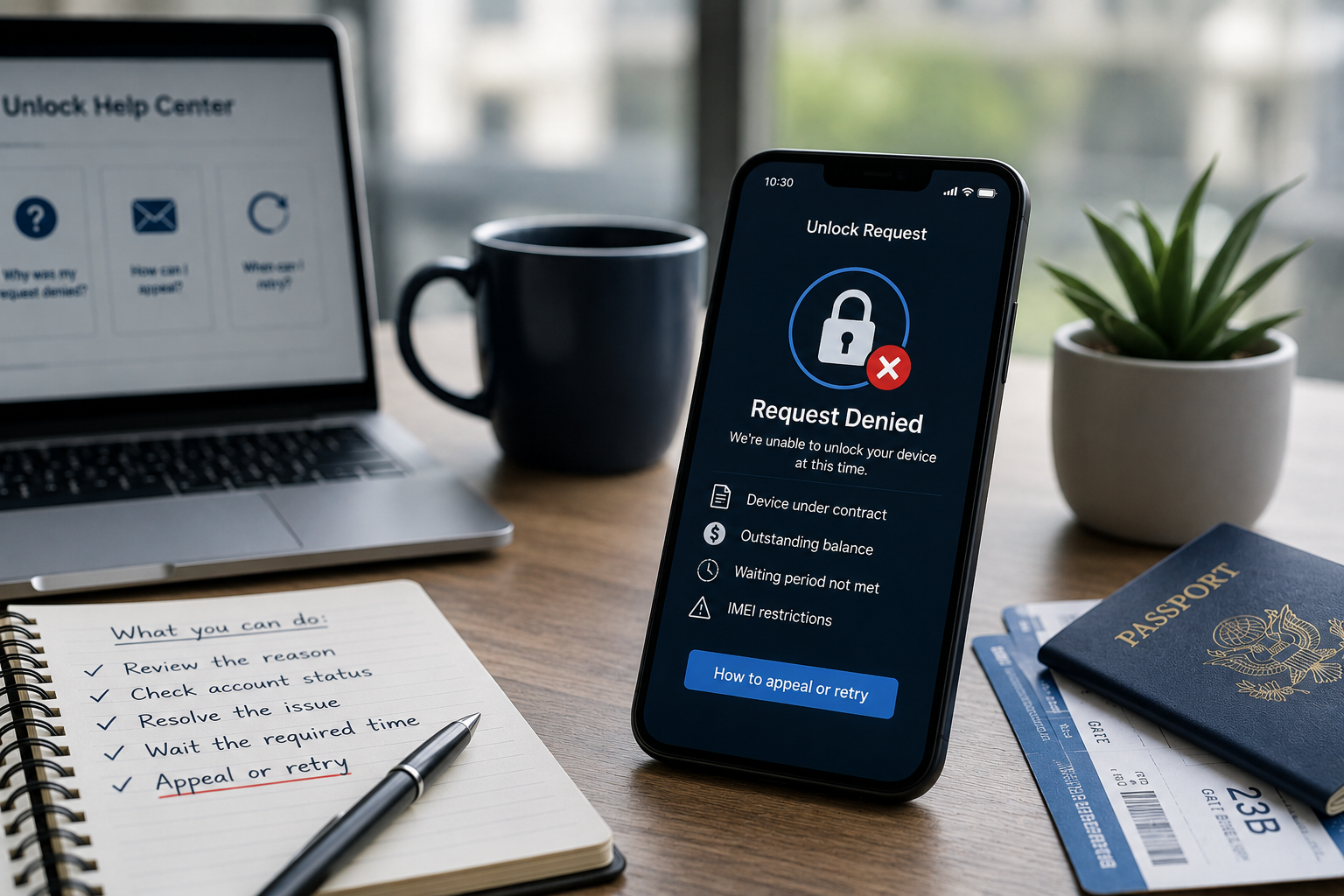
Carrier restrictions can be frustrating — especially when you’ve done everything right. Active contracts, unpaid balances, blacklisted IMEIs, and regional complications are among the top barriers that prevent unlocking. But none of them are permanent obstacles.

Our expert unlocking service provides fast, secure, and carrier-approved solutions to help you overcome any unlocking barrier. We use official IMEI-based methods to ensure your device is permanently unlocked — safely, legally, and globally compatible.

If your carrier denied your request or you’re tired of waiting, contact us today. Our team will analyze your device, identify the exact cause, and help you unlock it quickly — so you can enjoy complete network freedom without the frustration.