A fake phone unlock message can be particularly convincing because it arrives as something users may genuinely expect: a carrier update, an unlock confirmation, or a notice that one final action is required.
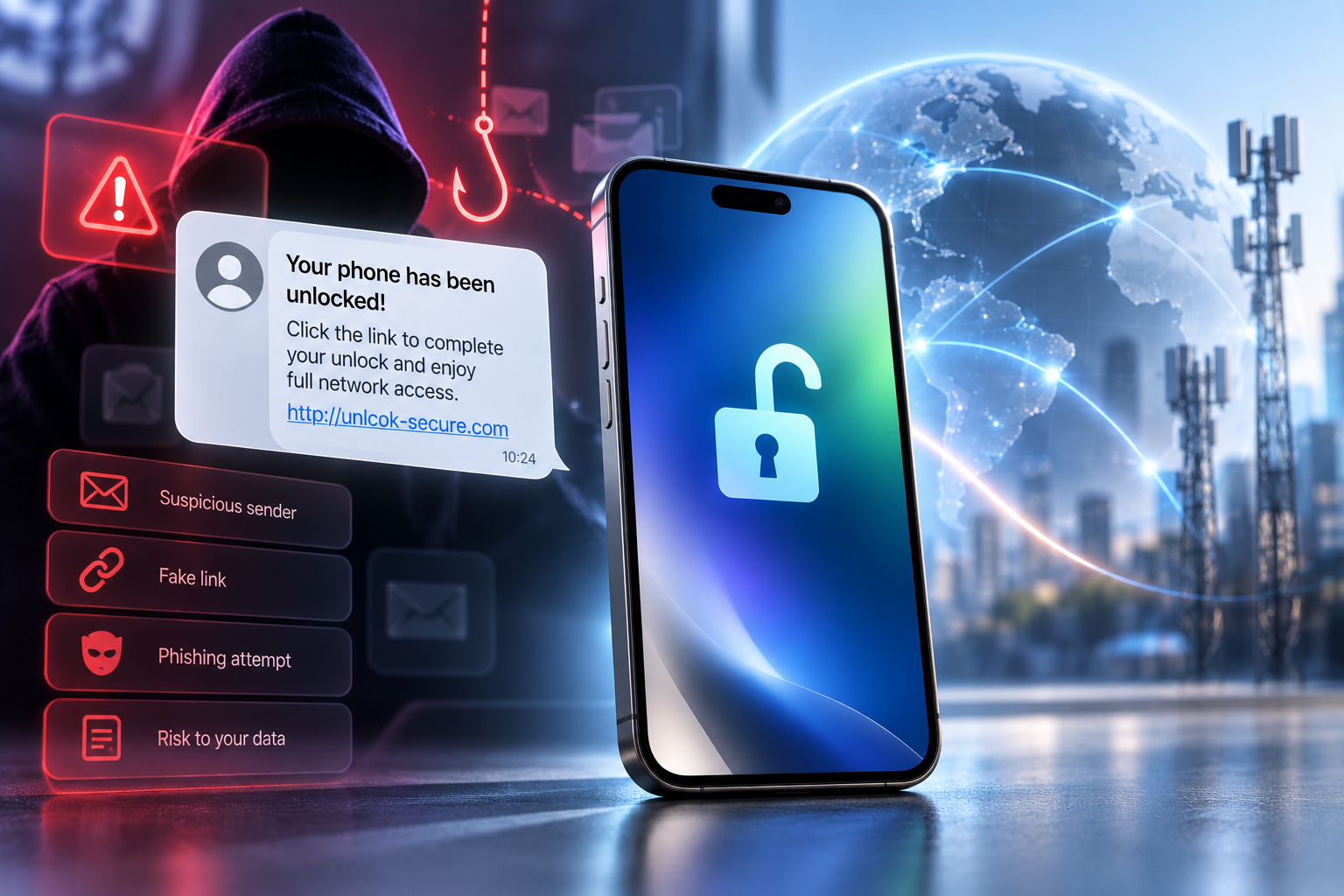
The message might say your device is suitable for unlocking. It may claim the request will expire within an hour, ask you to “confirm ownership,” or direct you to a page that looks almost identical to a carrier login.
The underlying technique is ordinary phishing. The unlocking theme simply provides a believable reason to click.
The FTC continues to warn that phishing emails and text messages commonly impersonate familiar businesses, create a story that encourages immediate action, and attempt to collect passwords or financial information. Its advice is consistent: do not trust unexpected links simply because the message appears to come from a known company; instead, contact the business using a website or contact method you already know is legitimate.
Why Unlock Notifications Make Effective Phishing Bait
Unlocking creates exactly the conditions phishing attempts exploit.
A legitimate unlock may take time. Users wait for updates. They may expect an email when processing finishes.
That makes a subject line such as “Your device unlock is complete” unusually tempting.
The recipient may click before asking whether the message was expected.
Attackers also benefit from the technical nature of unlocking. Many consumers are unsure how the process should work, so a request to “verify your Apple ID,” “re-enter carrier credentials,” or “pay an activation charge” may initially sound plausible.
The safest approach is not to memorize every possible fraudulent message.
Instead, understand what information is actually relevant to a legitimate carrier unlock and verify unexpected requests independently.
What a Fake Unlock Message May Look Like
There is no single template.
A phishing message may impersonate:
- A mobile carrier
- A third-party unlocking provider
- Apple or Google
- A device marketplace
- A courier supposedly delivering an unlock-related SIM
- A payment provider
Common themes include:
“Your unlock has been approved. Sign in now.”
“Your request expires today.”
“Pay a small verification charge to complete unlocking.”
“Confirm your Apple ID to remove the network restriction.”
“Your IMEI has been blocked. Click to restore access.”
The wording changes, but the objective is often the same: move you away from a legitimate service channel and onto a page controlled by the attacker.
The Biggest Warning Signs
A fake carrier message often reveals itself through the way it asks you to act.
Unexpected Links
If you did not expect the message, do not follow its link to find out whether it is genuine.
The FTC recommends contacting the company through a phone number or website you already know is real rather than using the contact details inside an unexpected message.
Open the carrier’s app manually, type the known website into your browser, or check the unlocking provider’s official order-status page.
Artificial Urgency
Messages that threaten immediate consequences deserve extra scrutiny.
Examples include:
- “Unlock expires in 30 minutes”
- “Device will be permanently blocked”
- “Final verification required”
- “Pay now to avoid cancellation”
Urgency discourages the user from checking independently.
A legitimate service may have real deadlines in some circumstances, but those conditions should already be visible through the official order or account.
Password Requests
A carrier unlock normally does not require an unrelated service to collect your email password, Apple Account password, Google Account password, or online-banking credentials.
If a page asks for highly sensitive credentials, stop and verify why.
Never assume that an unlock process gives a company a legitimate reason to access the rest of your digital life.
Surprise Payment Demands
A message may claim that the unlock has completed but requires an additional “release fee,” “activation charge,” or “verification payment.”
Do not pay through the link.
Check your original order and the provider’s official terms instead.
Suspicious Domains
Phishing pages often use addresses that resemble a legitimate brand while adding extra words, letters, or unusual subdomains.
The visual design can be extremely convincing.
Do not judge legitimacy by logos alone.
How to Verify an Unlock Notification Safely
If you actually have an unlock in progress, verification should be simple.
Do not click the message first.
Instead:
- Open your browser or carrier app independently.
- Navigate to the provider’s official website.
- Sign in through the normal account or order-status system.
- Compare the status there with the message.
- Contact customer support through the site’s published contact details if anything differs.
This approach bypasses the central trick behind phishing: convincing the user to enter a fake environment controlled by the attacker.
When you have an active unlocking request, check its status through the provider’s official channels rather than following unexpected links in messages.
What If the Message Arrives at the Right Time?
Timing alone proves nothing.
Attackers send enormous numbers of messages. Some will inevitably reach people who happen to be waiting for a delivery, bank transaction, password reset—or phone unlock.
There can also be cases where personal information from previous data breaches helps attackers create more convincing messages.
Treat the contents as a claim that needs verification.
If the official account confirms that the unlock completed, follow the instructions displayed there.
What to Do If You’ve Already Clicked
Clicking a suspicious link does not automatically mean an account has been compromised.
What you do next depends on what happened.
You Clicked but Entered Nothing
Close the page.
Do not download files or grant permissions. Make sure your browser and phone software are current.
Then verify the supposed unlock notification through official channels.
You Entered a Password
Change that password using the real website or app.
If the same password was reused elsewhere, change those accounts too.
Enable multi-factor authentication where available.
The FTC advises people who think attackers obtained account information to change the password promptly and use available identity-protection resources when sensitive data may have been exposed.
You Entered Payment Information
Contact the card issuer, bank, or payment provider using official contact information.
Explain that the details may have been entered into a phishing page and follow their security instructions.
You Installed an App or File
Remove suspicious software where possible and review device permissions.
If the phone behaves unusually or you installed software from outside your normal app store, consider obtaining professional security assistance.
How Professional Unlocking Communication Should Work
A good provider should make communication predictable.
Customers should know:
- How order updates arrive
- Where to check the official status
- What information may be requested
- Whether additional action is required
- How to reach support independently
Transparency reduces the effectiveness of phishing because customers already know what legitimate communication looks like.
Professional providers should also avoid asking users for credentials that are irrelevant to carrier unlocking.
If additional information is genuinely required, the provider should explain what it is and why it relates to the particular service.
Unlock Confirmation vs Unlock Completion
Another source of confusion is the difference between notification and actual device status.
An email saying “unlock completed” does not itself unlock the phone.
The real test is the device.
Depending on the model and method, you may need to follow completion instructions, restart the phone, connect to the internet, or test another compatible SIM/eSIM.
This gives users another way to avoid phishing pressure.
If the message says your device will “relock permanently” unless you sign in immediately, that language should not replace verification of the actual phone and order.
Protecting Yourself Before the Next Message Arrives
Security works best before a suspicious message appears.
Use unique passwords for important accounts. Enable multi-factor authentication. Keep your operating system updated.
The FTC also recommends spam filters and two-factor authentication as practical defenses against phishing.
For unlocking specifically, keep your order confirmation available and know the official website through which you can check progress.
That turns an unexpected message from an emergency into something you can verify calmly.
Conclusion: Verify the Request, Not the Branding
A fake phone unlock message succeeds when the recipient reacts before verifying.
The message may use a carrier logo, know the device brand, or arrive at exactly the moment an unlock request is being processed. None of those details makes the link trustworthy.
When in doubt, leave the message and approach the provider through a channel you already know is legitimate.
That simple habit protects far more than the phone. Phishing pages may be after email accounts, payment details, identity information, or passwords that unlock access to other services.
FreeUnlocks.com prioritizes transparent order communication, helping customers understand the status and requirements of their unlocking service without unnecessary uncertainty.
