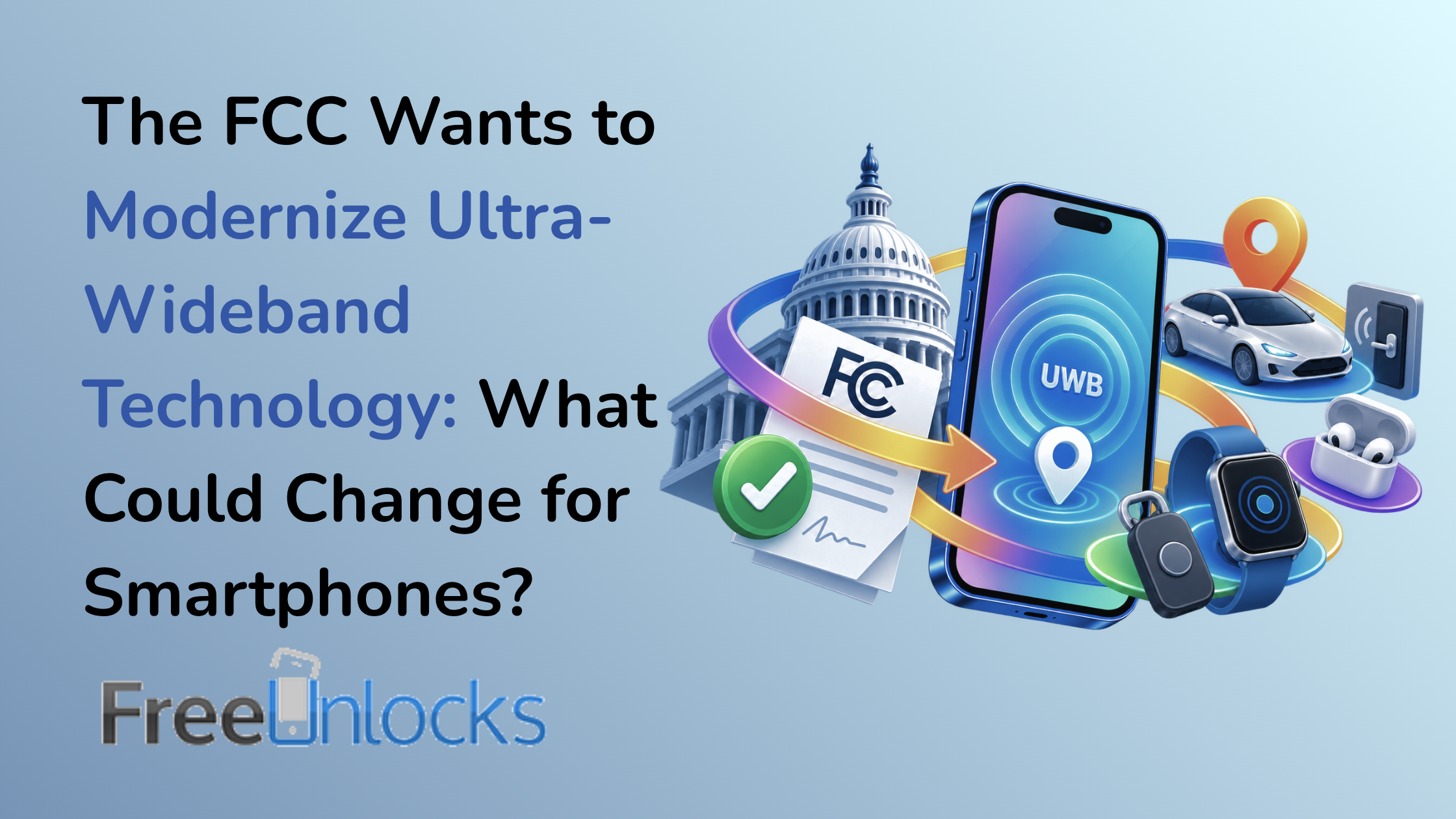
The FCC Wants to Modernize Ultra-Wideband Technology: What Could Change for Smartphones?

Most smartphone owners know about Wi-Fi, Bluetooth and 5G. Fewer understand ultra-wideband, even though it already enables some of the most precise location and proximity features available on modern devices. The discussion surrounding FCC UWB rules 2026 highlights how this less familiar wireless technology could become increasingly important.

Ultra-wideband, usually shortened to UWB, allows compatible devices to measure distance and relative position with remarkable precision.

That makes it useful for locating lost belongings, enabling secure digital keys and helping connected devices understand where they are in relation to one another.

Unlike mobile broadband, UWB is not primarily designed to deliver internet access.

Its strength lies in precise ranging and short-range spatial awareness.

Regulatory changes could influence how manufacturers develop those capabilities, but any proposal must be distinguished from a final rule. New permissions do not automatically create new features on existing smartphones.

What the FCC Proposed in September 2026

The Federal Communications Commission regulates radio-frequency use in the United States.

That responsibility includes balancing innovation with the need to prevent harmful interference between different wireless systems.

Ultra-wideband operates differently from conventional narrowband radio technologies. It uses very wide frequency ranges and typically transmits at low power.

The FCC’s UWB framework has historically placed limits on operating conditions, power levels and permitted applications.

The September 2026 modernization discussion concerns how those rules can accommodate evolving technology while protecting other spectrum users.

For manufacturers, regulatory flexibility can matter enormously.

A technical restriction that made sense when UWB was primarily associated with specialized sensing equipment may not always fit newer consumer applications.

However, a proposal is not equivalent to authorization.

The final effect depends on the precise language adopted, any conditions imposed and the categories of equipment covered.

Consumers should therefore avoid assuming that a regulatory review immediately changes what their phones can do.

What Ultra-Wideband Technology Actually Does

UWB is often described as a positioning technology, but that explanation only captures part of its capabilities.

Its main advantage comes from using extremely short radio pulses across a wide bandwidth.

Compatible devices can analyze signal timing to estimate distance with much greater precision than many conventional proximity methods.

Bluetooth vs UWB

Bluetooth is excellent for connecting headphones, watches, keyboards and other accessories.

It can also provide approximate proximity information.

However, Bluetooth signal strength alone does not always reveal precise distance.

Walls, furniture, human bodies and environmental interference can influence measurements.

UWB can provide more accurate ranging by measuring signal travel time.

That allows compatible devices to distinguish between objects that are relatively close together.

Why Direction Matters

Knowing that a tracker is nearby is useful.

Knowing that it is approximately three meters away and positioned to your left is considerably more useful.

Supported UWB systems can combine distance and directional information to guide users toward an object.

That capability creates a more intuitive experience than simply watching a signal-strength indicator increase or decrease.

Short-Range Technology

UWB is not a replacement for cellular networks.

Its practical range and operating characteristics make it suitable for nearby-device interaction rather than nationwide communication.

That distinction matters when interpreting claims about new wireless capabilities.

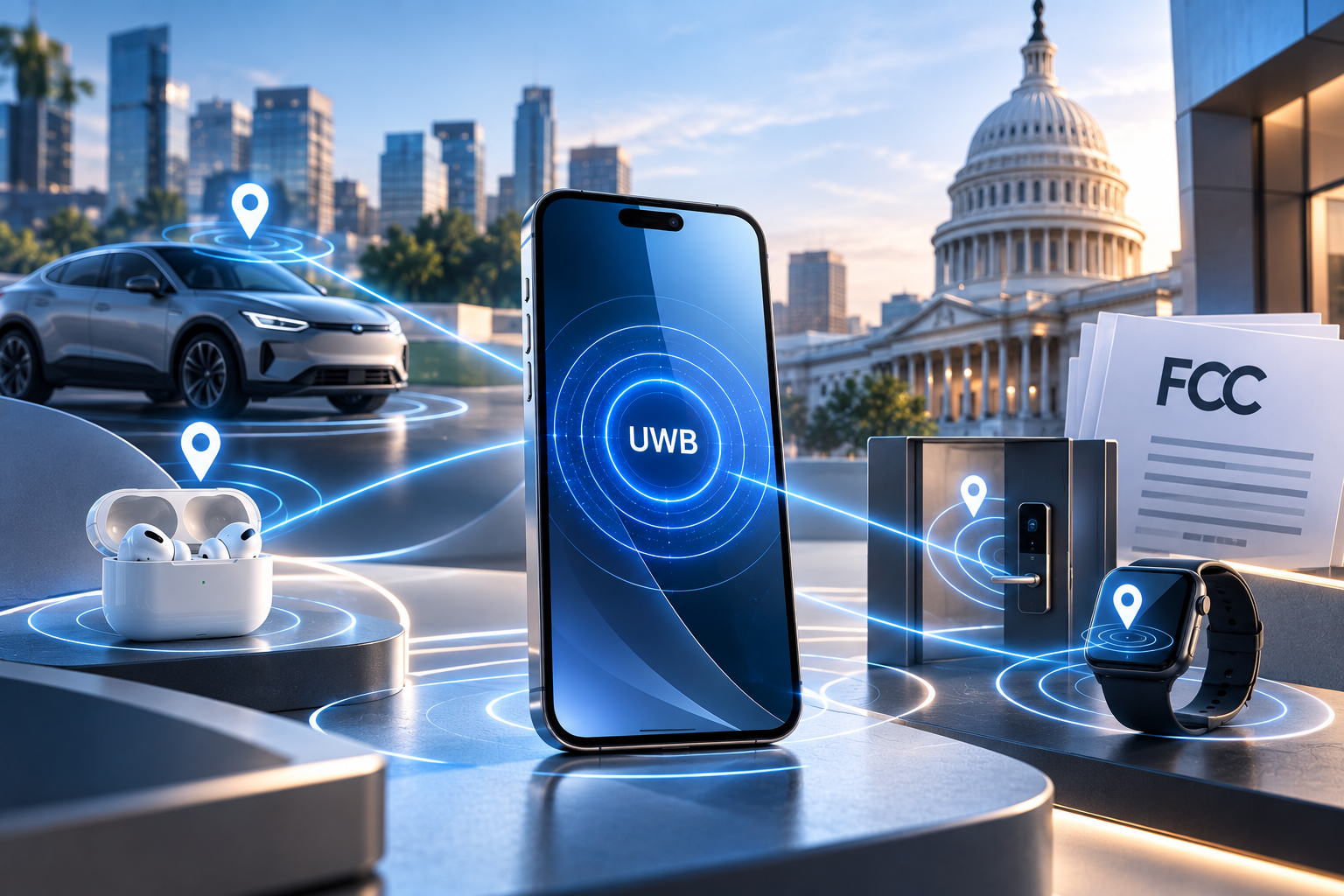
How Smartphones Already Use UWB

UWB is not merely a future concept.

It already appears in selected premium smartphones and connected accessories.

Precision Finding

One of its most recognizable applications is locating nearby tracking devices.

A compatible smartphone can provide directional guidance toward a supported tracker.

This is particularly useful when the item is hidden beneath furniture, inside a bag or somewhere in a crowded room.

Digital Car Keys

Some digital vehicle-key systems use UWB to determine whether an authorized device is genuinely close to the car.

That can support more convenient entry and help protect against certain relay-attack scenarios when implemented correctly.

The precise security properties depend on the complete system, not simply the presence of UWB hardware.

Connected Homes

UWB can help smart-home systems identify which room or device a person is approaching.

For example, a future home-control interface might prioritize the television or speaker physically nearest to the user.

This type of spatial awareness can make connected devices feel less dependent on manually selecting names from long menus.

Device-to-Device Interaction

UWB can also support proximity-aware interactions between compatible phones and accessories.

The potential extends beyond locating objects to identifying nearby devices more accurately.

However, manufacturers must implement the relevant software and interoperability standards before these experiences become widely available.
What the Proposed Rules Could Enable

Regulatory modernization can influence product development in several ways.

First, it may give manufacturers greater clarity about which UWB applications are permitted.

Second, it may help accommodate newer technical approaches that were not common when earlier rules were written.

Third, clearer operating conditions can encourage investment in compatible accessories and infrastructure.

But the relationship between regulation and consumer features is indirect.

A revised FCC rule might allow a particular type of equipment to operate under defined conditions.

Manufacturers would still need to design, test, certify and commercialize products that use those permissions.

The resulting features could arrive gradually over several product generations.

Potential Benefits for Device Location and Connected Accessories

The most immediate consumer interest centers on location accuracy.

Finding Belongings More Easily

Improved UWB ecosystems could make it easier to locate compatible keys, wallets, bags and other belongings.

The benefit would be particularly noticeable in environments where approximate Bluetooth proximity is insufficient.

More Seamless Vehicle Access

Digital car keys could become more convenient as compatible vehicles and smartphones become more widespread.

A user might approach a vehicle without manually opening an app or presenting a physical key.

Security remains critical, especially because vehicle access involves considerably higher stakes than finding a misplaced accessory.

Better Smart-Home Awareness

Connected homes often know which devices exist but not precisely where the user is standing.

UWB could help bridge that gap.

A home system might distinguish between approaching a front door, standing near a particular speaker or entering a room.

More Context-Aware Accessories

Wearables and other accessories may eventually use precise ranging to support more natural interactions.

The potential is broad, but not every proposed use will become a mainstream product.

Cost, battery consumption, interoperability and privacy will influence adoption.

As smartphones gain more sophisticated connectivity features, understanding what your device supports becomes increasingly valuable.

Why Not Every Smartphone Supports UWB

UWB requires compatible hardware.

A software update cannot turn an ordinary phone into a fully functional UWB device if the necessary radio components are absent.

Manufacturers also choose which models receive the technology.

Some premium devices include UWB, while lower-priced phones may omit it to reduce cost.

Regional variants can differ as well.

Even when the hardware is present, local regulatory conditions may influence feature availability.

That means consumers should verify UWB support for the exact model and market rather than assuming every version of a smartphone family has identical capabilities.

Does UWB Affect Carrier Unlocking?

Not directly.

Carrier unlocking concerns restrictions on which compatible mobile network a smartphone may use.

UWB is a separate short-range wireless technology.

Removing a carrier restriction does not add UWB hardware, enable unsupported positioning features or change the device’s regional radio certification.

Likewise, an unlocked smartphone may still lack certain UWB capabilities.

This distinction reflects a broader principle of mobile technology: network freedom and hardware functionality are different aspects of device ownership.

An unlocked phone provides greater carrier flexibility where technically compatible, but it does not automatically gain every feature supported by another model.

Privacy and Security Considerations

Precise location technology creates important privacy questions.

Knowing whether a device is nearby can be convenient.

Knowing its exact relative position can be sensitive.

Manufacturers need to consider how ranging information is shared, which applications can access it and how users grant permission.

Secure digital keys also require protections against unauthorized access and manipulation.

UWB’s technical properties can contribute to stronger proximity verification, but secure implementation depends on authentication, cryptography and system design.

Consumers should keep devices updated and review permissions for applications that interact with nearby accessories.

Regulatory permission to use radio frequencies does not replace the need for responsible privacy and security practices.

What Happens Next in the Regulatory Process?

FCC rulemaking generally involves several stages.

A proposal may be published for public comment, allowing manufacturers, industry organizations, technical specialists and other interested parties to submit views.

The Commission then evaluates the record.

Depending on the proceeding, it may adopt rules, revise its approach, seek additional information or take no immediate final action.

Even after a final rule appears, equipment manufacturers may need time to obtain certification and release compliant products.

For consumers, the practical sequence is therefore:

  1. Regulatory proposal
  2. Public and industry feedback
  3. Final regulatory decision
  4. Product development and certification
  5. Commercial availability

These stages should not be compressed into a single announcement.

The Future of Spatially Aware Smartphones

Smartphones have become extremely good at understanding digital context.

They know which application is open, which account is active and what information a user is requesting.

UWB adds another dimension: physical context.

A device can potentially understand not just what another connected object is, but where it is.

That could improve interactions with vehicles, homes, accessories and other electronics.

The most useful future applications may be those that remove unnecessary steps.

Instead of selecting a device manually, a phone could identify the nearby object the user intends to interact with.

Instead of searching through rooms for a tracker, the phone could provide precise directional guidance.

The challenge is making those interactions dependable, secure and widely compatible.
Conclusion: Small Radio Signals, Significant Possibilities

The debate around FCC UWB rules 2026 reflects the growing importance of precise positioning and proximity technology.

UWB already supports useful smartphone features, particularly precision finding and selected digital-key systems.

Regulatory modernization could create opportunities for additional applications, but the actual benefits depend on final rules, compatible hardware and manufacturer implementation.

For consumers, the best approach is to understand which wireless technologies their current devices support and avoid assuming that regulatory changes automatically unlock new functionality.

As smartphones become more sophisticated, the difference between software features, hardware capabilities and carrier restrictions will remain important.

FreeUnlocks.com helps users maximize the network flexibility of supported smartphones through professional carrier-unlocking services, while recognizing that advanced features such as UWB depend on the device’s hardware and software capabilities.
Will Unlocking Erase My Phone? How to Unlock Without Losing Photos, Apps or Data

One of the most common questions before ordering a carrier unlock is simple: does unlocking phone erase data from the device?

For most standard carrier-unlocking processes, the answer is no. Carrier unlocking deals with the phone’s ability to use other compatible mobile networks. It is not the same process as factory resetting a device, restoring its software, or deleting personal content.

However, “unlocking” can refer to several very different procedures online, and specific device or service instructions can vary. That makes it sensible to understand exactly which process you are using before you begin.

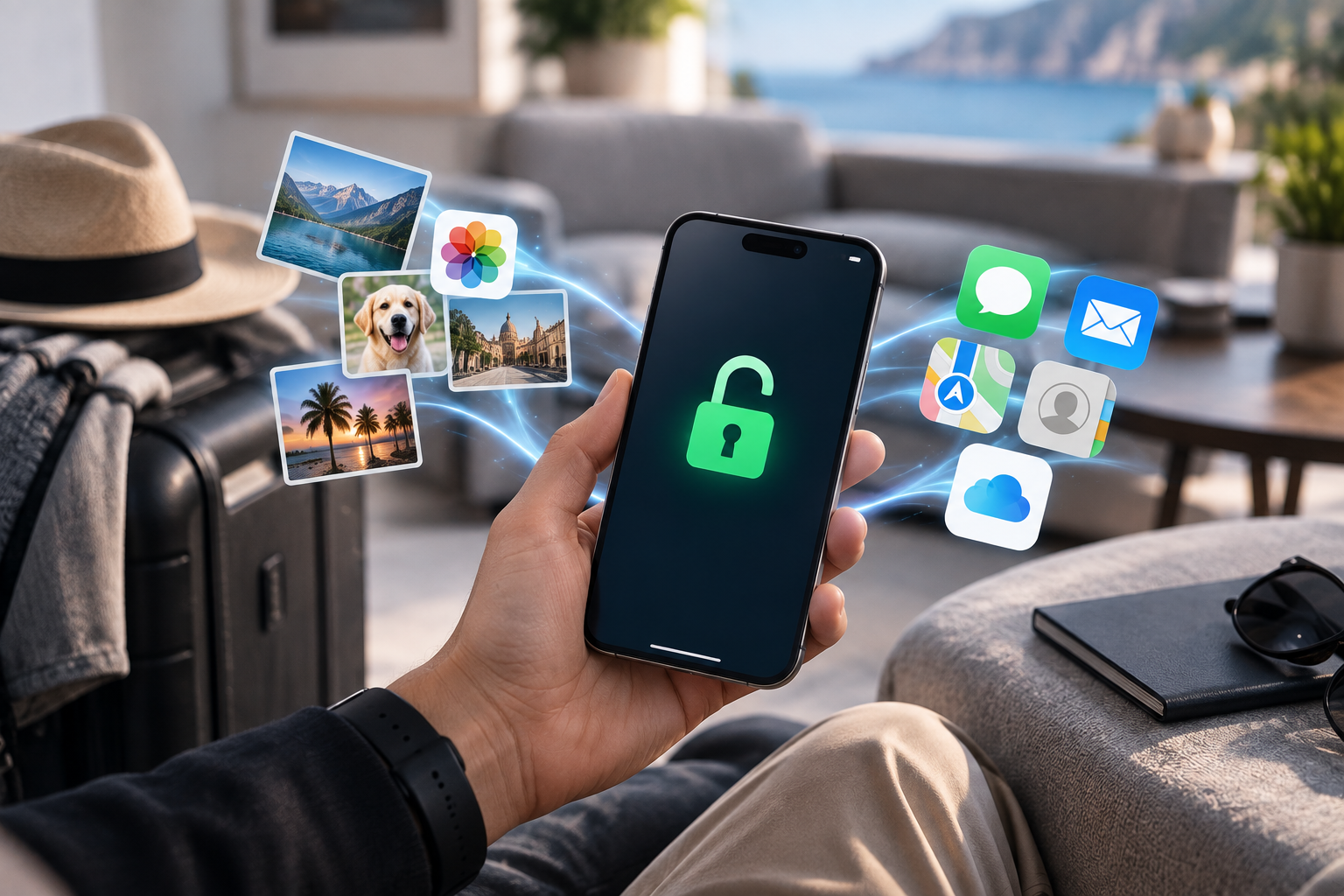
The reassuring part is that protecting your photos, messages and other information is straightforward—and maintaining a current backup is good practice even when data loss is not expected.

The Short Answer: Carrier Unlocking and Your Data

A legitimate carrier unlock normally changes a network restriction.

It does not need to erase your photo library, uninstall apps, delete conversations, or clear contacts simply to allow the phone to accept another compatible carrier.

Think of the device as having different layers.

Your personal data occupies one layer.

Your mobile network authorization exists in another.

Changing one does not automatically mean changing the other.

That is why a user can often complete an unlock and continue using the same phone exactly as before, except that another compatible SIM or eSIM can now be activated.

Why Unlocking Is Often Confused With Factory Resetting

The confusion comes partly from the vocabulary used around smartphones.

Users encounter:

  • Carrier unlock
  • Screen unlock
  • SIM unlock
  • Bootloader unlock
  • Factory reset
  • Account recovery
  • Activation Lock

These processes are not interchangeable.

A factory reset intentionally removes user data and settings.

A carrier unlock addresses network restrictions.

A screen unlock gives access to the device.

A bootloader unlock is an advanced software-development operation and may trigger data wiping on some platforms.

When someone asks, does carrier unlock reset phone, the important word is “carrier.”

Carrier unlocking should not be casually grouped together with other technical procedures that happen to contain the word “unlock.”

A useful internal link here would be Unlocking vs Factory Reset: Myths & Best Practices.

Different Unlocking Methods and Their Effect on Data

Not every carrier-unlocking workflow looks identical.

Understanding the method gives you a much clearer idea of what to expect.

Carrier or Database-Based Unlock

Many modern unlocking processes work through carrier or manufacturer systems linked to the device’s IMEI.

Once the appropriate network restriction is removed, the phone receives or recognizes the updated status.

This type of process generally does not involve wiping personal storage.

You may need to restart the phone, connect to Wi-Fi, insert another SIM, or follow specific completion instructions depending on the device and service.

Unlock Code

Some phones use a network unlock code.

The user inserts another compatible carrier’s SIM, receives a network-unlock prompt, and enters the supplied code.

Again, the process deals with network authorization rather than stored photos and applications.

It is important to enter codes carefully and follow the provider’s instructions rather than repeatedly guessing.

Device-Assisted or Software-Specific Procedures

Certain device, carrier or legacy workflows may require more interaction.

That does not automatically mean data will be erased.

However, any service that requires software tools, resets, firmware changes, or unusual device preparation should explain those requirements clearly before you begin.

Before ordering, check the instructions for your specific unlocking method so you know exactly what the process involves and can prepare accordingly.

Bootloader Unlocking Is Different

This distinction is especially important for Android enthusiasts.

Bootloader unlocking allows deeper software modification and is not the same as carrier unlocking.

On many Android devices, unlocking the bootloader triggers a factory data reset as a security measure.

If your goal is simply to change carriers, do not confuse these two procedures.

When a Backup Is Still Recommended

If carrier unlocking normally preserves data, why back up at all?

Because phones fail independently of unlocking.

A battery can die. Storage can malfunction. An operating-system update can go wrong. A phone can be lost five minutes after the unlock completes.

A current backup turns those events into inconveniences instead of permanent data loss.

Backing up is therefore a sensible precaution before any important device procedure, not evidence that the unlock itself is expected to delete your information.

It also reduces anxiety.

You can follow the required steps knowing that your irreplaceable files already exist somewhere else.

What to Back Up Before Starting

You do not necessarily need to manually copy every file.

Modern iPhones and Android devices can synchronize substantial amounts of information through cloud services.

Still, review the categories that matter most to you.

Photos and Videos

Photos often represent the most irreplaceable content on a phone.

Check whether your photo library has finished synchronizing to iCloud, Google Photos, another cloud provider, or a local computer.

Do not assume that seeing a cloud icon means every original file has uploaded successfully.

Contacts

Contacts may synchronize with an Apple, Google, Microsoft, or other account.

Confirm which account stores them.

A surprising number of users discover that some contacts existed only locally after something goes wrong.

Authentication Data

Two-factor authentication deserves special attention.

If you use authenticator apps for banking, work, email or other services, confirm that you have an appropriate recovery or transfer method.

Losing authentication access can be more disruptive than losing an ordinary application.

Messaging Backups

WhatsApp and other messaging platforms may use their own backup systems.

Check the application’s current backup status rather than assuming the operating-system backup covers every conversation.

For SMS and platform-native messaging, review the relevant Apple or Google synchronization settings.

Important App Data

Some applications store information entirely in the cloud.

Others keep local files.

If you use specialist work applications, note-taking tools, games or password managers, verify how each important service restores data.

Do You Need to Remove the SIM Before Unlocking?

Usually, follow the instructions for the particular unlocking method.

Some processes require the original SIM. Some require a SIM from another carrier for testing. Others require no SIM interaction until completion.

Removing a SIM does not itself erase data from the phone.

The SIM primarily contains information related to mobile service, not your modern smartphone’s entire photo library or application set.

For eSIM, do not delete an active profile unless the instructions specifically require it or you already know how to restore the line.

Deleting an eSIM and carrier-unlocking the phone are separate actions.

What About iCloud and Google Accounts?

A carrier unlock normally does not require you to delete your Apple Account or Google Account.

Those accounts manage personal content, cloud synchronization, app purchases and device-security features.

If an unlocking service unexpectedly requests your Apple Account password, Google password, or unrelated account credentials, ask why.

A normal carrier unlock should focus on information relevant to the phone and network.

An internal link to What Information Does a Phone Unlocking Service Really Need? would be highly relevant here.

What to Expect After the Unlock Is Completed

The exact completion step varies.

You may receive confirmation that the unlock has processed.

Then you may need to:

  1. Restart the phone.
  2. Connect it to Wi-Fi or mobile data.
  3. Insert or activate the intended new SIM/eSIM.
  4. Allow carrier settings to update.
  5. Test calls, texts and data.

Your existing applications and files should remain where they were if the method did not involve a reset.

If the new network does not immediately work, do not assume your data is at risk or the unlock failed.

Activation and compatibility are separate questions.

What If the New SIM Shows No Service?

No Service after unlocking can have several causes.

Check:

  • Whether the new SIM is active
  • Whether the carrier has provisioned the line
  • Whether the phone supports the network’s bands
  • Whether APN settings are correct
  • Whether the device’s IMEI is accepted
  • Whether there is an outage

Unlocking removes a carrier restriction.

It does not automatically activate the replacement SIM or guarantee that every network is technically compatible.

Does an Unlock Survive a Factory Reset?

A legitimate permanent carrier unlock should normally be treated separately from a factory reset.

Erasing your personal content does not usually recreate the carrier restriction.

Likewise, performing a factory reset is not a method for unlocking a locked phone.

Users relying on temporary or unofficial software workarounds may encounter different behavior, which is another reason to understand the method before proceeding.

Safe Unlocking Means Knowing What Will Happen

The best way to unlock phone without losing data is not to search for a universal trick.

It is to use a clear, device-appropriate method with documented requirements.

Before starting:

  • Confirm the exact phone model.
  • Verify the original carrier.
  • Double-check the IMEI.
  • Read the service instructions.
  • Create a current backup.
  • Avoid unrelated resets or firmware changes.

These steps take little time and provide much greater confidence.

Conclusion: Carrier Unlocking Shouldn’t Mean Losing Your Digital Life

So, does unlocking phone erase data?

With normal professional carrier unlocking, your photos, applications, contacts and messages should generally remain intact because the process addresses network restrictions rather than personal storage.

The key is knowing which kind of “unlocking” you are actually performing.

Carrier unlocking is different from a factory reset, bootloader unlocking, account-security recovery, and other procedures that may affect device data.

Back up important information anyway, read the instructions for the exact service, and avoid performing unrelated resets simply because you are changing carriers.

FreeUnlocks.com provides clear instructions for each supported unlocking service, helping customers understand the process before making changes to their devices.

Carrier Unlock vs Activation Lock vs FRP: Three Completely Different Restrictions

Searching for carrier lock vs activation lock often starts with the same frustrating screen: a phone says it is “locked,” and the owner wants to know how to make it usable.

The problem is that “locked” can describe completely different systems.

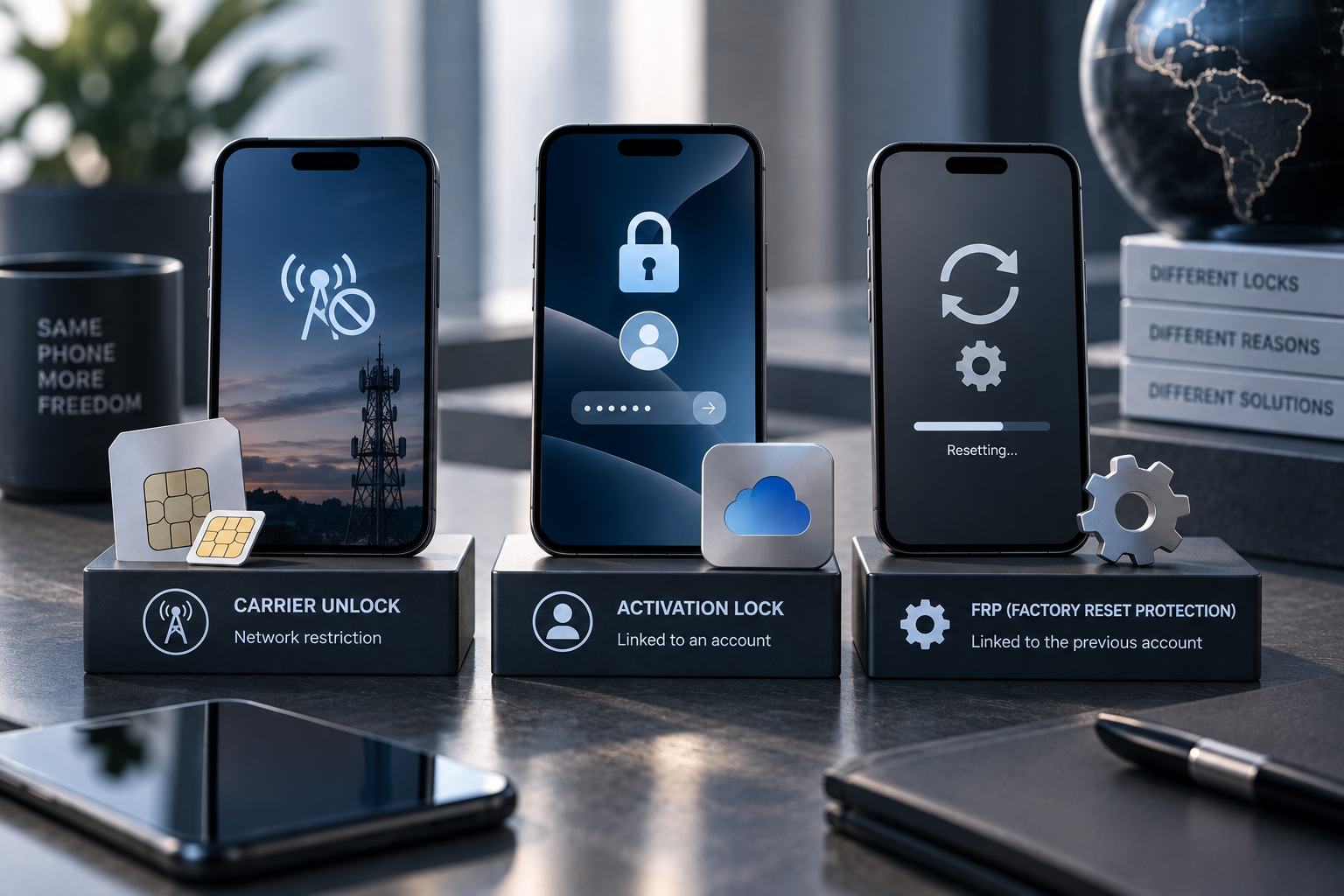
A carrier lock controls which compatible mobile network the phone can use. Apple’s Activation Lock protects an Apple device that remains tied to its owner’s account. Android’s Factory Reset Protection, or FRP, helps prevent an unauthorized person from resetting a protected device and setting it up as their own.

They have different purposes, different owners, and different legitimate solutions.

Understanding that distinction is essential before ordering any unlocking service.

Why the Word “Locked” Causes So Much Confusion

Consumers regularly encounter phrases such as:

  • Network locked
  • Carrier locked
  • SIM locked
  • Activation locked
  • Locked to owner
  • Google verification required
  • Factory Reset Protection

The words sound related.

Technically, they are not.

Some restrictions govern network access.

Others protect device ownership and personal data.

That difference explains why a company that legitimately unlocks a phone for another carrier cannot simply remove every other security mechanism on the device.

What a Carrier or Network Lock Is

A carrier lock restricts the phone’s use with other mobile networks.

It commonly appears on devices originally sold under certain carrier financing, prepaid, promotional, or contract arrangements.

The exact rules vary by provider and country.

When a carrier-locked phone detects another provider’s SIM or eSIM, the user may see messages such as:

  • SIM Not Supported
  • Network Locked
  • SIM Network Unlock PIN
  • Invalid SIM

Once an eligible phone is properly carrier-unlocked, it can generally use other technically compatible networks.

That last phrase matters.

Unlocking does not create missing cellular bands or guarantee that every provider supports the model.

The carrier lock is one layer of compatibility.

What Apple Activation Lock Is

Apple Activation Lock serves a completely different purpose.

Apple states that Activation Lock works with Find My and is designed to stop another person from using an iPhone or iPad if it is lost or stolen. It remains associated with the owner’s Apple Account, and even remotely erasing the device does not automatically make it available to someone else.

This is an anti-theft feature, not a carrier restriction.

A user facing Activation Lock may see an iPhone Locked to Owner screen or be asked for the Apple Account associated with the device.

Legitimate resolution generally involves the owner removing the device from their account, entering the appropriate credentials, or using Apple’s supported process when proof of purchase is available. Apple documents those routes through its own support channels.

Changing the mobile carrier does not solve Activation Lock.

Neither does an ordinary network unlock.

What Android Factory Reset Protection (FRP) Is

Android has a related ownership-protection mechanism commonly called Factory Reset Protection.

Google explains that a protected Android device may require the previous screen lock or a Google Account that was previously added to the device after certain factory-reset scenarios. The objective is to stop someone from stealing a phone, erasing it, and simply setting it up as a new device.

Again, this has nothing to do with whether the phone can use Verizon, T-Mobile, Vodafone, Telia, or another carrier.

FRP protects device ownership and access after reset.

A carrier unlock affects network restrictions.

The legitimate ways to deal with FRP involve the authorized owner’s account and Google’s supported recovery or ownership processes.

Why Anti-Theft Locks Exist

Smartphones contain extraordinary amounts of personal information.

Email, authentication apps, photos, payment services, messages, documents, and location history can all reside on one device.

A simple factory reset would create a major theft incentive if it automatically converted a stolen phone into a clean device ready for resale.

Activation Lock and FRP deliberately prevent that.

Apple specifically advises second-hand buyers not to take ownership of an iPhone or iPad that remains protected by Activation Lock.

Google similarly explains that protected Android devices can require previous account or screen-lock information after reset.

Android’s broader theft-protection platform also now includes features such as Theft Detection Lock, Offline Device Lock and Remote Lock on supported devices.

These mechanisms are not inconveniences accidentally left behind by manufacturers.

They are security boundaries.

Carrier Lock vs Activation Lock: What Legitimate Unlocking Can—and Cannot—Do

This is the central distinction.

A professional carrier unlocking service can address an eligible carrier or network restriction using the appropriate method for that device and network.

It does not legitimately function as a way to bypass the previous owner’s Apple Account or Google Account protections.

Carrier unlocking may help when:

  • You want to switch mobile providers.
  • You want to use a compatible travel SIM.
  • You purchased a legitimate carrier-locked phone.
  • You want greater network flexibility before resale.
  • A compatible SIM displays a network-lock message.

Carrier unlocking is not the appropriate service when:

  • The iPhone displays “Locked to Owner.”
  • Setup requests the previous owner’s Apple Account.
  • Android setup requires the previous synced Google Account after reset.
  • The device was reported stolen.
  • You are trying to bypass ownership verification.

Identifying the type of restriction before ordering an unlocking service prevents wasted time and ensures you’re looking for the appropriate solution.

What About a Screen Lock?

There is another “lock” that users sometimes confuse with all three: the normal screen passcode.

A forgotten PIN, passcode, password or pattern is neither a carrier lock nor automatically Activation Lock/FRP.

The screen lock protects local access to the device.

Manufacturer recovery procedures may require erasing or restoring the device if credentials cannot be recovered, after which account-based protections can still apply.

A network unlocking provider does not need your screen passcode simply to perform a conventional carrier unlock unless a particular documented procedure genuinely requires interaction with the device.

What About SIM PINs?

A SIM PIN protects the SIM or eSIM line itself.

It is another independent security mechanism.

Repeatedly entering guessed codes can lock the SIM and require the carrier’s PUK code.

Do not confuse a SIM PIN with a SIM Network Unlock PIN. The similar wording is unfortunate, but the first protects the SIM while the second may indicate a network-restricted phone.

How to Identify Which Restriction You’re Actually Facing

Start with the exact message.

“SIM Not Supported” or “Network Locked”

This points toward a possible carrier restriction.

Confirm the lock status, original carrier and compatibility with the intended network.

“iPhone Locked to Owner”

This indicates Apple’s Activation Lock.

If you bought the device second-hand, contact the previous owner. Apple specifically recommends ensuring a used device has been removed from the previous owner’s account before taking ownership.

Google Account Verification After Reset

This points toward Android device protection/FRP.

Use the Google Account previously associated with the phone or Google’s supported account-recovery process.

“No Service”

This does not identify any of these restrictions by itself.

No Service can result from poor coverage, SIM provisioning, unsupported bands, network settings, IMEI status, or other problems.

Troubleshoot before ordering an unlock.

Buying a Used Phone: Check Both Types of Status

Second-hand buyers should verify carrier status and ownership security separately.

For an iPhone, make sure the seller has removed Activation Lock and that the phone reaches a normal setup state without asking for the previous owner’s account.

Then check whether the phone is also carrier-unlocked if that matters to you.

For Android, the seller should properly remove their accounts before resetting the phone.

A phone can be:

  • Activation-ready but carrier-locked
  • Carrier-unlocked but still tied to an owner account
  • Clean in both respects
  • Restricted in multiple independent ways

Never assume that the word “unlocked” on a marketplace listing covers every meaning.

Why This Distinction Matters for Legitimate Service Providers

Clear boundaries protect customers.

A reputable carrier-unlocking provider should explain what its service addresses rather than promising to “unlock anything.”

That helps prevent customers from purchasing the wrong service.

It also preserves the difference between giving the legitimate owner more carrier freedom and defeating security features specifically designed to protect ownership.

Trust depends partly on knowing what a service will not do.

Conclusion: Identify the Lock Before Looking for the Solution

The carrier lock vs activation lock distinction becomes straightforward once you ask what the restriction is protecting.

Carrier locks regulate network access.

Apple Activation Lock protects ownership through the Apple Account and Find My.

Android FRP helps prevent an unauthorized user from resetting a protected device and claiming it as their own.

Because these systems solve different problems, they require different legitimate solutions.

Read the exact message, identify the type of restriction, and use the appropriate official or professional channel rather than treating every “locked phone” as the same problem.

FreeUnlocks.com specializes in legitimate carrier and network unlocking services, with clear service descriptions that help customers understand exactly what type of restriction is being addressed.

Fake Carrier Unlock Messages: How Phishing Can Hide Behind an “Unlock Confirmation”

A fake phone unlock message can be particularly convincing because it arrives as something users may genuinely expect: a carrier update, an unlock confirmation, or a notice that one final action is required.

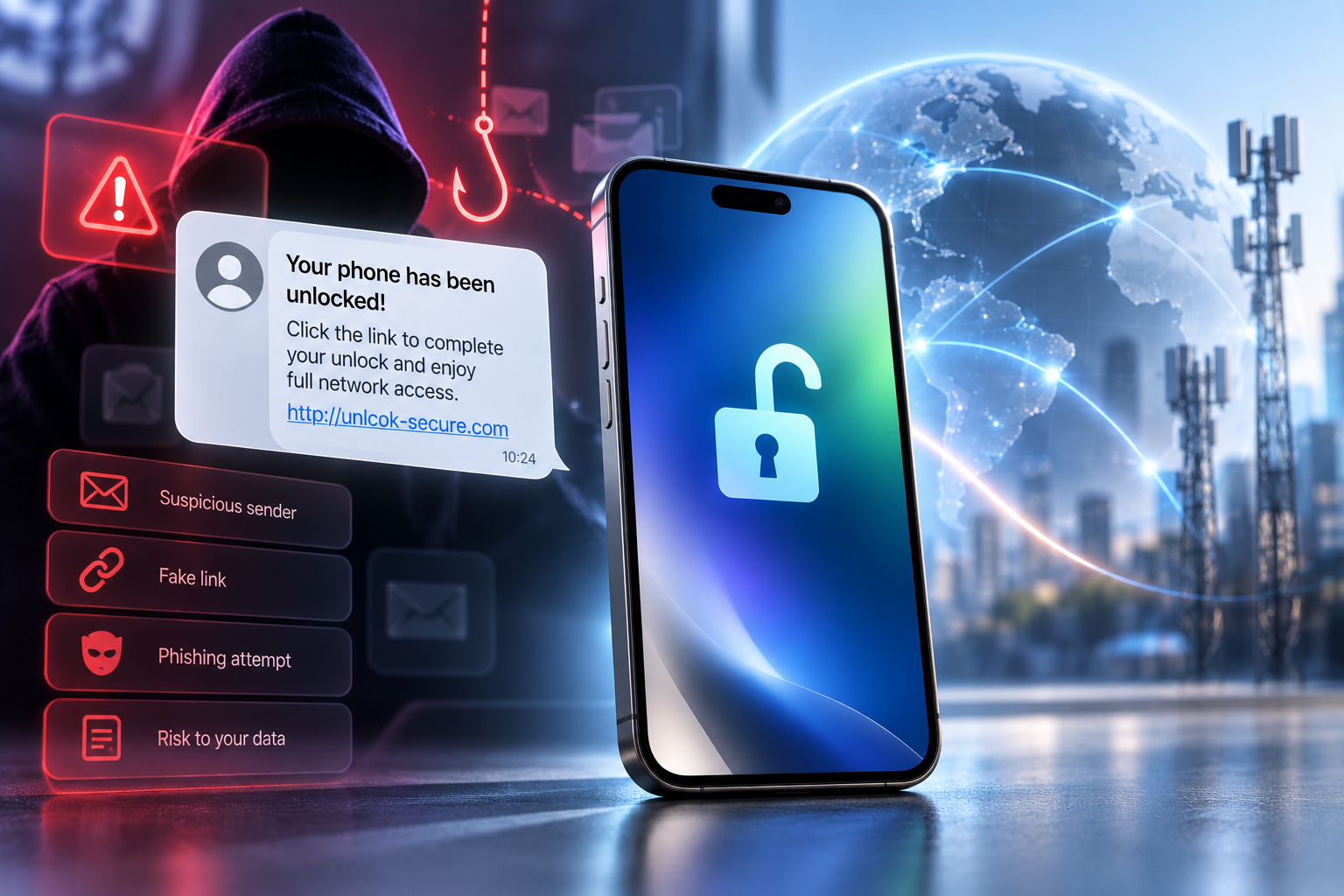
The message might say your device is suitable for unlocking. It may claim the request will expire within an hour, ask you to “confirm ownership,” or direct you to a page that looks almost identical to a carrier login.

The underlying technique is ordinary phishing. The unlocking theme simply provides a believable reason to click.

The FTC continues to warn that phishing emails and text messages commonly impersonate familiar businesses, create a story that encourages immediate action, and attempt to collect passwords or financial information. Its advice is consistent: do not trust unexpected links simply because the message appears to come from a known company; instead, contact the business using a website or contact method you already know is legitimate.

Why Unlock Notifications Make Effective Phishing Bait

Unlocking creates exactly the conditions phishing attempts exploit.

A legitimate unlock may take time. Users wait for updates. They may expect an email when processing finishes.

That makes a subject line such as “Your device unlock is complete” unusually tempting.

The recipient may click before asking whether the message was expected.

Attackers also benefit from the technical nature of unlocking. Many consumers are unsure how the process should work, so a request to “verify your Apple ID,” “re-enter carrier credentials,” or “pay an activation charge” may initially sound plausible.

The safest approach is not to memorize every possible fraudulent message.

Instead, understand what information is actually relevant to a legitimate carrier unlock and verify unexpected requests independently.

What a Fake Unlock Message May Look Like

There is no single template.

A phishing message may impersonate:

  • A mobile carrier
  • A third-party unlocking provider
  • Apple or Google
  • A device marketplace
  • A courier supposedly delivering an unlock-related SIM
  • A payment provider

Common themes include:

“Your unlock has been approved. Sign in now.”

“Your request expires today.”

“Pay a small verification charge to complete unlocking.”

“Confirm your Apple ID to remove the network restriction.”

“Your IMEI has been blocked. Click to restore access.”

The wording changes, but the objective is often the same: move you away from a legitimate service channel and onto a page controlled by the attacker.

The Biggest Warning Signs

A fake carrier message often reveals itself through the way it asks you to act.

Unexpected Links

If you did not expect the message, do not follow its link to find out whether it is genuine.

The FTC recommends contacting the company through a phone number or website you already know is real rather than using the contact details inside an unexpected message.

Open the carrier’s app manually, type the known website into your browser, or check the unlocking provider’s official order-status page.

Artificial Urgency

Messages that threaten immediate consequences deserve extra scrutiny.

Examples include:

  • “Unlock expires in 30 minutes”
  • “Device will be permanently blocked”
  • “Final verification required”
  • “Pay now to avoid cancellation”

Urgency discourages the user from checking independently.

A legitimate service may have real deadlines in some circumstances, but those conditions should already be visible through the official order or account.

Password Requests

A carrier unlock normally does not require an unrelated service to collect your email password, Apple Account password, Google Account password, or online-banking credentials.

If a page asks for highly sensitive credentials, stop and verify why.

Never assume that an unlock process gives a company a legitimate reason to access the rest of your digital life.

Surprise Payment Demands

A message may claim that the unlock has completed but requires an additional “release fee,” “activation charge,” or “verification payment.”

Do not pay through the link.

Check your original order and the provider’s official terms instead.

Suspicious Domains

Phishing pages often use addresses that resemble a legitimate brand while adding extra words, letters, or unusual subdomains.

The visual design can be extremely convincing.

Do not judge legitimacy by logos alone.

How to Verify an Unlock Notification Safely

If you actually have an unlock in progress, verification should be simple.

Do not click the message first.

Instead:

  1. Open your browser or carrier app independently.
  2. Navigate to the provider’s official website.
  3. Sign in through the normal account or order-status system.
  4. Compare the status there with the message.
  5. Contact customer support through the site’s published contact details if anything differs.

This approach bypasses the central trick behind phishing: convincing the user to enter a fake environment controlled by the attacker.

When you have an active unlocking request, check its status through the provider’s official channels rather than following unexpected links in messages.

What If the Message Arrives at the Right Time?

Timing alone proves nothing.

Attackers send enormous numbers of messages. Some will inevitably reach people who happen to be waiting for a delivery, bank transaction, password reset—or phone unlock.

There can also be cases where personal information from previous data breaches helps attackers create more convincing messages.

Treat the contents as a claim that needs verification.

If the official account confirms that the unlock completed, follow the instructions displayed there.

What to Do If You’ve Already Clicked

Clicking a suspicious link does not automatically mean an account has been compromised.

What you do next depends on what happened.

You Clicked but Entered Nothing

Close the page.

Do not download files or grant permissions. Make sure your browser and phone software are current.

Then verify the supposed unlock notification through official channels.

You Entered a Password

Change that password using the real website or app.

If the same password was reused elsewhere, change those accounts too.

Enable multi-factor authentication where available.

The FTC advises people who think attackers obtained account information to change the password promptly and use available identity-protection resources when sensitive data may have been exposed.

You Entered Payment Information

Contact the card issuer, bank, or payment provider using official contact information.

Explain that the details may have been entered into a phishing page and follow their security instructions.

You Installed an App or File

Remove suspicious software where possible and review device permissions.

If the phone behaves unusually or you installed software from outside your normal app store, consider obtaining professional security assistance.

How Professional Unlocking Communication Should Work

A good provider should make communication predictable.

Customers should know:

  • How order updates arrive
  • Where to check the official status
  • What information may be requested
  • Whether additional action is required
  • How to reach support independently

Transparency reduces the effectiveness of phishing because customers already know what legitimate communication looks like.

Professional providers should also avoid asking users for credentials that are irrelevant to carrier unlocking.

If additional information is genuinely required, the provider should explain what it is and why it relates to the particular service.

Unlock Confirmation vs Unlock Completion

Another source of confusion is the difference between notification and actual device status.

An email saying “unlock completed” does not itself unlock the phone.

The real test is the device.

Depending on the model and method, you may need to follow completion instructions, restart the phone, connect to the internet, or test another compatible SIM/eSIM.

This gives users another way to avoid phishing pressure.

If the message says your device will “relock permanently” unless you sign in immediately, that language should not replace verification of the actual phone and order.

Protecting Yourself Before the Next Message Arrives

Security works best before a suspicious message appears.

Use unique passwords for important accounts. Enable multi-factor authentication. Keep your operating system updated.

The FTC also recommends spam filters and two-factor authentication as practical defenses against phishing.

For unlocking specifically, keep your order confirmation available and know the official website through which you can check progress.

That turns an unexpected message from an emergency into something you can verify calmly.

Conclusion: Verify the Request, Not the Branding

A fake phone unlock message succeeds when the recipient reacts before verifying.

The message may use a carrier logo, know the device brand, or arrive at exactly the moment an unlock request is being processed. None of those details makes the link trustworthy.

When in doubt, leave the message and approach the provider through a channel you already know is legitimate.

That simple habit protects far more than the phone. Phishing pages may be after email accounts, payment details, identity information, or passwords that unlock access to other services.

FreeUnlocks.com prioritizes transparent order communication, helping customers understand the status and requirements of their unlocking service without unnecessary uncertainty.

“Request Denied” Unlock—How to Appeal or Retry

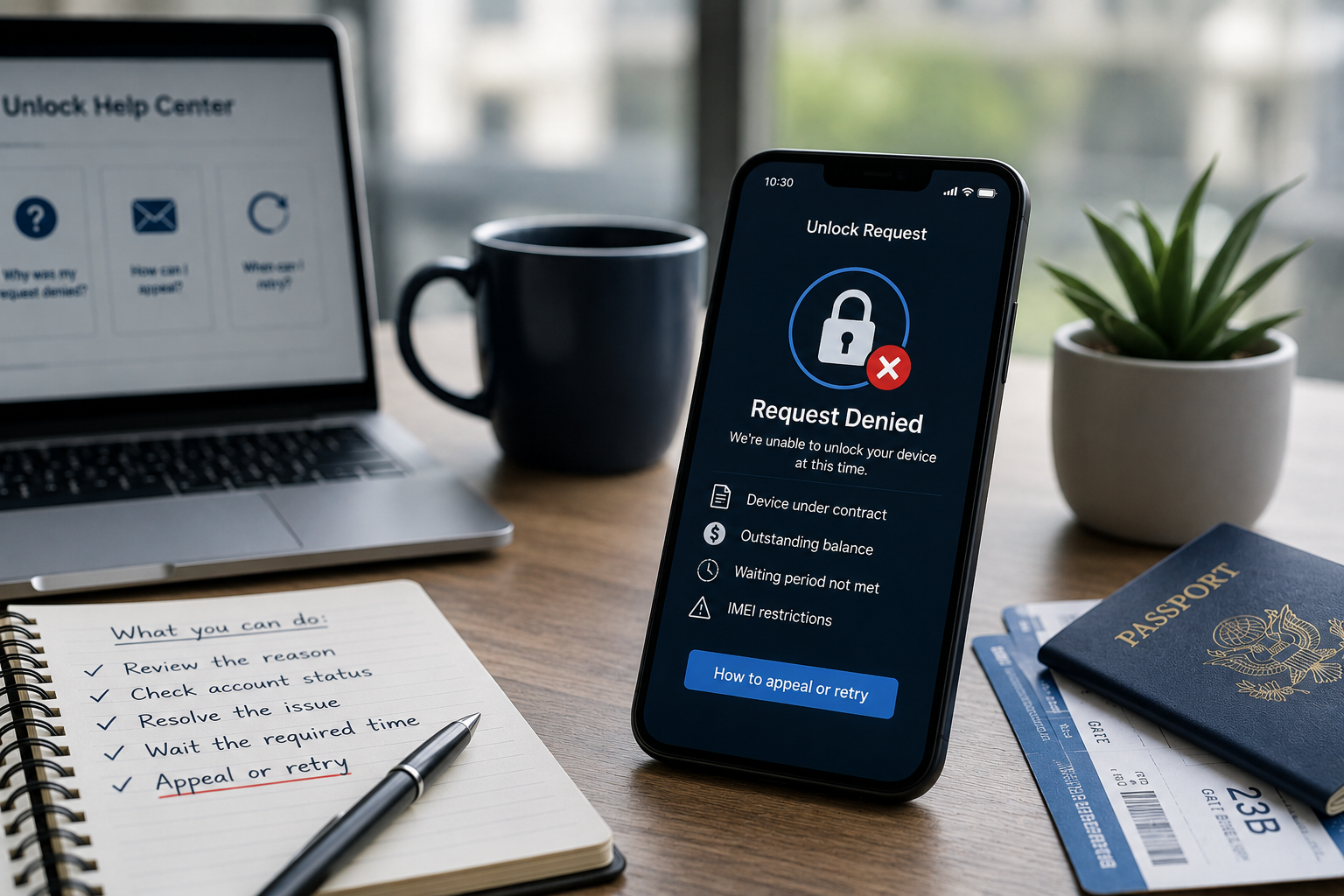
Seeing the message unlock request denied can be frustrating, especially when you believe your phone should already be eligible. Many users wait through the required period, pay their bills, submit the request, and still receive a refusal from the carrier.

The good news is that a denied unlock does not always mean the situation is final. In many cases, the issue comes from missing documentation, account status, carrier policy rules, or technical delays.

This guide explains why carriers deny unlock requests, how to appeal properly, when to retry, and when a professional unlocking service may offer a faster and clearer solution.


Unlock Request Denied: Common Reasons It Happens

Carriers deny unlocking requests for several reasons. Some are simple to resolve, while others require additional verification or expert help.

1. The Device Is Still Under Contract

Many carriers require customers to complete the full contract term before unlocking a phone. If the device remains tied to an active agreement, the carrier may refuse the request.

This often applies to:

  • Installment plans
  • Promotional device offers
  • Early upgrade programs
  • Business or family accounts

Before appealing, check whether any contractual obligation remains active.


2. The Phone Has an Outstanding Balance

A phone may look eligible at first glance, but an unpaid balance can block the unlock.

This may include:

  • Remaining device payments
  • Missed monthly bills
  • Early termination fees
  • Account-related charges

Even a small unresolved balance can lead to a denied phone unlock.


3. The IMEI Has a Restriction

The IMEI is the unique identifier tied to the device. Carriers use it to verify ownership, status, and eligibility.

A carrier may deny the request if the IMEI shows:

  • Lost or stolen status
  • Fraud-related flags
  • Incomplete activation records
  • Previous account issues

An IMEI check can help confirm whether this is the reason for the refusal.


4. The Waiting Period Has Not Passed

Some carriers require a minimum usage period before unlocking becomes available. This may be 40, 60, 90, or more days depending on the carrier and region.

If you submit the request too early, the system may automatically reject it.


5. Carrier Systems Did Not Process the Request Correctly

Not every denial means the device is truly ineligible. Sometimes the issue comes from internal carrier systems.

Common examples include:

  • Outdated account information
  • Incorrect activation date
  • Delayed database update
  • Mismatched IMEI records

In these cases, an appeal or retry may solve the issue.


How to Appeal an Unlock Request Denied Message

If your unlock request denied message seems incorrect, start with a structured appeal. Clear documentation improves your chances of success.

Step 1: Gather Your Device Information

Before contacting the carrier, prepare:

  • IMEI number
  • Phone model
  • Original carrier
  • Purchase date
  • Account number, if available

Accurate details help support teams locate the correct record quickly.


Step 2: Collect Proof of Ownership

Carriers may ask for proof that you legally own the device.

Useful documents include:

  • Purchase receipt
  • Invoice
  • Payment confirmation
  • Contract completion notice
  • Trade-in or upgrade documents

If you bought the phone second-hand, ask the seller for any available proof of purchase.


Step 3: Ask for the Exact Denial Reason

Do not accept a generic refusal if the explanation is unclear. Ask the carrier to confirm the specific reason.

Useful questions include:

  • Is the device financially clear?
  • Is the account in good standing?
  • Is the IMEI restricted?
  • Has the waiting period passed?
  • Is any additional verification required?

The clearer the reason, the easier it becomes to solve the problem.


Step 4: Submit an Appeal Through the Proper Channel

Some carriers offer online unlock portals. Others require phone, chat, or email support.

When appealing, keep your message short and factual. Include:

  • Your IMEI
  • Proof of eligibility
  • Denial message
  • Request for review

Professional and organized communication often leads to faster results.


How to Retry the Unlock Correctly

If the carrier confirms that the issue can be resolved, you may need to retry the unlock request.

Wait for System Updates

If you recently paid off the device or updated account information, wait until the carrier system refreshes.

This may take:

  • A few hours
  • One full billing cycle
  • Several business days

Submitting repeated requests too quickly may slow the process.


Correct Any Incorrect Information

Before retrying, confirm that all details match carrier records.

Check:

  • IMEI number
  • Account name
  • Device model
  • Activation date

Even one incorrect digit in the IMEI can cause an unlock refusal.


Try a Different Support Channel

If online requests fail repeatedly, contact support directly. A human agent may see details that automated systems miss.

Try:

  • Live chat
  • Phone support
  • Escalation department
  • Business support, if applicable

Escalation often helps when the issue involves outdated records or account history.


When a Third-Party Unlock Service Makes Sense

Sometimes carriers continue to deny requests even after users provide documentation. This can happen with second-hand phones, imported devices, old accounts, or regional carrier restrictions.

In these cases, a trusted third-party unlocking service can help identify other available options.

How Professional Unlocking Services Help

A reliable unlocking provider can:

  • Check IMEI status
  • Identify the original carrier
  • Confirm likely eligibility issues
  • Recommend the correct unlock method
  • Provide support throughout the process

This saves users time and avoids repeated trial and error.


Why Experience Matters

Not every unlock refusal has the same solution. The right approach depends on the device, carrier, region, and IMEI status.

Experienced unlocking specialists understand these differences and can guide users toward the most suitable path.


Common Mistakes to Avoid After an Unlock Refusal

Submitting Too Many Requests

Repeated requests may create confusion or trigger additional review.

Instead, identify the denial reason first.


Using the Wrong Carrier Information

Many users buy second-hand phones without knowing the original carrier. Submitting the request to the wrong carrier usually results in denial.

An IMEI check can help identify the correct network.


Ignoring IMEI Status

If the IMEI has a restriction, retrying the same request will not solve the issue.

Always verify IMEI status before appealing.


Choosing Based on Price Alone

When seeking help, avoid choosing a provider only because it offers the lowest price. Reliable unlocking depends on experience, transparency, and support quality.


Tips for a Successful Unlock Appeal

To improve your chances, follow these best practices:

  1. Check your IMEI first
    Confirm the device status before contacting the carrier.
  2. Prepare documentation
    Proof of ownership and payment can support your appeal.
  3. Stay clear and polite
    Support agents respond better to organized requests.
  4. Ask for escalation when needed
    First-level support cannot always resolve complex cases.
  5. Use professional help if delays continue
    A reliable unlocking service can save time and clarify the best next step.

Conclusion: A Denied Unlock Request Is Not Always the End

Receiving an unlock request denied message can feel discouraging, but it does not always mean your phone cannot be unlocked. Many refusals come from missing documents, account issues, timing problems, or carrier system delays.

By checking the denial reason, gathering the right documents, and retrying carefully, many users can resolve the problem. If the carrier still says no, professional help may provide a clearer and faster path.

Our unlocking service helps users when carriers deny unlock requests. We review device details, verify IMEI status, and guide you toward the most reliable unlocking solution available.

If your unlock request was denied and you are not sure what to do next, contact us today and let our experts help you move forward with confidence.