FreeUnlocks.com

Jan 09

How to unlock Mobile Phone for FREE

How to unlock your Mobile Phone and be free of any service provider?

Ideally, unlocking the phone is very suited to a traveller, businessman and others who often go to different places. These people are always using a phone and it is very unpleasant that at the month’s end bill would arrive, you will just be shocked of all those international roaming charges. In order to avoid this unnecessary huge bill, you will be force to buy a local SIM card but you cannot just use it because your phone is locked to a service provider. This is where FreeUnlocks comes to play, it is an unlocking website that enables you to get an unlock code free of charge.

Where would I go to get an unlock code?

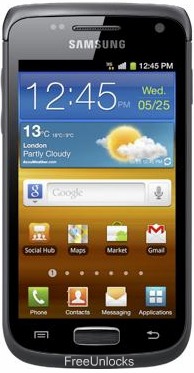
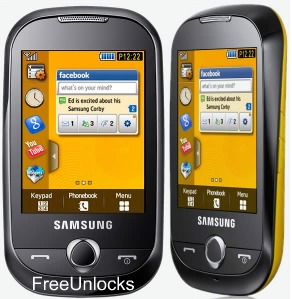
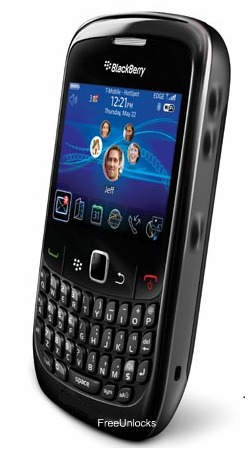
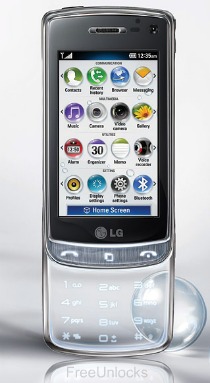
Feel free to experience our website and its services at FreeUnlocks and experience an opportunity to unlock your phone for FREE. FreeUnlocks offers unlocking service for the following: BlackBerry, HTC, Samsung, Motorola, LG, Sony Ericsson, Nokia, HuaweiAT&T, T-Mobile and CDMA phones.

There are certain information that you would need in order to process the unlock code. This information is your Brand/Model of Phone, IMEI # (locate this by dialling *#06# or by looking under the battery, it is a 15-17 digit number), your country and Service Provider in which your phone is currently locked to.

How to get an unlock code?

You will be given two option on how to get your unlock code. One is the “Get It Free” option where before you can get the unlock code; you will need to finish an offer from one of TrialPay Partner. If you are tired of waiting and very will to just buy the unlock code, “Buy Now” is certainly the right icon for you to choose. Clicking the “Buy Now” option will instantly direct you to our TrialPay secure checkout, either via PayPal or Credit Card.

How to unlock my phone?

Once transaction has been made and you have completed the certain requirements or payments have been confirmed, you will be receiving an email that contains order # and an activation number. The activation number will be used to process your code on to our Unlock on Order. After using the activation number and processed your unlock code, another email will be sent out to you (depending on the turnaround time of the unlock code) that your IMEI # have been located and the unlock code and instruction will be provided there too.

Once you have followed the instruction sent to you together with the unlock code, you will be unlocking your phone in no time! See you on the other side!

Can we unlock your phone? Start here!

Jan 08

How to unlock LG Optimus 2X for Free

It seems that LG wants to give the competition a run for its money, well at least when it comes to raw horsepower. An applause for the LG Optimus 2X, a smart phone the South Korean claims that it is the fastest in the world during its time. Equipped with a Dual Core Nvidia Tegra processor running 1GHz, the LG Optimus 2X is seemingly fast. It is so fast that you can enjoy full 1080p TV-out via HDMI and video capture through its 8-Megapixel camera. A 4-inch WVGA screen gives you surreal viewing content and with Android 2.2 Foryo on board, you can expect some wild times with it.

Unlocking your LG Optimus 2X

Unlock your LG Optimus 2X for free using a remote unlock code, remote meaning NO SOFTWARES and NO CABLES, all you have to do is follow the reference on how to unlock it together with the unlock code that we have sent you.

You won’t need a technician in order to unlock your LG Optimus 2X, you can unlock it yourself!

Is it safe to unlock my LG Optimus 2X using IMEI unlocking code?

Our unlocking method is absolutely safe and secure. The phone is not subjected to any modification of software—meaning if you unlocked your LG Optimus 2X, it will remain unlocked after any software updates.

Also, we are using the same technique as manufacturers do when unlocking so it is very safe.

Will unlocking my LG Optimus 2X voids my warranty?

Unlocking your LG Optimus 2X won’t affect your warranty because our technique is the same as manufacturers would do it. All new devices are by default unlocked. Manufacturers only locked the phones by carriers or by service provider’s demand.

Is it possible to unlock my LG Optimus 2X for FREE?

Absolutely yes! It is very possible. FreeUnlocks gives out free unlock code is that because TrialPay is sponsoring your unlock code after completing a trail offer from one of TrialPay’s Advertising Partners. For further information about TrialPay, please click here.

What are my benefits if I will unlock my LG Optimus 2X?

  1. If you are a traveller, you can just buy local SIM cards in order to save a lot amount of money from International Roaming Fees.
  2. Free from any restrictions to any service provider worldwide.
  3. Reselling value of the phone would increase dramatically.
  4. The phone is permanently unlocked even after updates.
  5. No Software and Cables.
  6. No Technical Experience needed Easy and effortless instruction.
  7. It is LEGAL!

How can I unlock my LG Optimus 2X?

Unlock my LG Optimus 2X NOW! <—- Click here and it will direct you to our website on how to unlock your LG Optimus 2X.

After clicking the link provided, you will be given 2 choices on how to begin, a “Get It Free” and a “Buy Now” option.

Get It Free” is a process to where you will have the option to complete a free trial offer from one of TrialPay Partners before you receive your unlock code. TrialPay is a sponsor that is paying your unlock code from us.

Buy Now” is a process in which to purchase the unlock code directly through TrialPay’s secure check out using PayPal or Credit Card.

After checking out using TrialPay secure check out system, you will be receiving an email containing your order # and an activation number for you to process your unlocking code manually. After processing your unlock code using Unlock on Order system, you will be receiving another email with the unlock code and a reference on how to unlock it.

How to unlock your LG Optimus 2X using FreeUnlocks unlock code.

  1. Turn on the LG Optimus 2X with a Non-accepted SIM card.
  2. Phone will prompt you with an unlock code.
  3. Enter the unlock code provided.
  4. Your phone is now unlocked!

Note: If the phone is asking for the Network Unlock Code—use the NCK and if the phone is asking for a Service Provider Unlock Code —use the SPCK provided.

Can we unlock your phone? Start here!

Jan 06

How to unlock BlackBerry Bold 9780 for free

Unlock your BlackBerry 9780 Bold for free using a remote unlock code, remote meaning NO SOFTWARES and NO CABLES, all you have to do is follow the reference on how to unlock it together with the unlock code that we have sent you.

You won’t need a technician in order to unlock your BlackBerry 9780 Bold phone, you can unlock it yourself!

UNLOCK CODE FOR YOUR BLACKBERRY 9780 NOW! <——–CLICK HERE AND IT WILL DIRECT YOU TO OUR WEBSITE ON HOW TO UNLOCK YOUR BLACKBERRY PHONE.

After clicking the link provided, you will be given choices on how to proceed, a “Get It Free” and a “Buy Now” option. “Get It Free” is a process to where you will have the option to complete a free trial offer from one of TrialPay Partners before you receive your unlock code. TrialPay is a sponsor that is paying your unlock code from us. “Buy Now” is a process in which to purchase the unlock code directly through TrialPay’s secure check out using PayPal or Credit Card.

After checking out using TrialPay secure check out system, you will be receiving an email containing your order # and an activation number for you to process your unlock code manually. After processing your unlock code using Unlock on Order system, you will be receiving another email with the unlock code and a reference on how to unlock it.

How to unlock your BlackBerry 9780 Bold using our unlock code.

  1. Power On
  2. Go to settings
  3. Go to options
  4. Go to advance options
  5. Go to SIM card
  6. Hold ALT and press : MEPD, and then after the screen changed press MEPD2 (Kindly note that what you typed on the screen will not appear)
  7. It will ask you for an unlock code, enter the unlock code that we have sent you and then press confirm.
  8. Your BlackBerry 9780 is now unlocked!

Note: NO SIM is needed to unlock the phone. After phone is unlocked, remove the battery, insert SIM as desired and re-insert the battery. Phone MUST be restarted to use the new SIM card.

Also, there are only limited attempts to input the correct unlock code. If your unlock code is not working please contact us and we will help you to unlock your BlackBerry 9780 Bold.

Can we unlock your phone? Start here!

Jan 06

How to know if your BlackBerry phone is unlocked?

How would you know if your BlackBerry is locked to a service provider? FreeUnlocks offers service that unlocks your BlackBerry phone to a service provider.

First thing to do is to determine if your phone is locked to a service provider. Following these easy steps will lead to in determining if your BlackBerry phone is already unlocked.

  1. Go to options
  2. Go to advance options
  3. Look for SIM card
  4. At that screen, type MEPD on your keyboard. A new menu will pop up. *Please note that if your BlackBerry has a SureType keyboard (71xx or 81xx devices) you will be needing to double tap the “P”, so the actual keys enter will be M E P P D.
  5. Look for the network in the list
  6. If your phone is “UNLOCKED”, it should say Disabled or Inactive next to ALL securities. If it says, “ACTIVE” on ANY of the securities, it is still locked to the carrier or network.

*Please refer to the images shown below for reference.

Image of a “LOCKED” device

Image of an “UNLOCKED” device

Unlocking BlackBerry phone with FreeUnlocks

FreeUnlocks offers Free unlock code that will unlock your BlackBerry phones if it is still locked to a service provider. Unlock your BlackBerry for free using a remote unlock code, remote meaning NO SOFTWARES and NO CABLES, all you have to do is follow the reference on how to unlock it together with the unlock code that we have sent you.

You won’t need a technician in order to unlock your BlackBerry phone, you can unlock it yourself! Click here and it will direct you to the webpage of our website on how to unlock you BlackBerry phone.

After clicking the link provided above, it will give you 2 choices, a “Get It Free” and “Buy Now” option. “Get It Free” is a process to where you will have the option to complete a free trial offer from one of TrialPay Partners before you receive your unlock code. TrialPay is a sponsor that is paying your unlock code from us. “Buy Now” is a process in which to purchase the unlock code directly through TrialPay’s secure check out using PayPal or Credit Card.

After checking out using TrialPay secure check out system, you will be receiving an email containing your order # and an activation number for you to process your unlock code manually. After processing your unlock code using Unlock On Order system, you will be receiving another email with the unlock code and a reference on how to unlock it.

Can we unlock your phone? Start here!

Jan 06

How to unlock your HTC Desire HD

HTC Desire HD Showcases the outstanding multimedia content with its bright 4.3-inch Super LCD display and Dolby mobile and SRS surround sound and it is the first to be powered by new 1GHz Qualcomm 8255 Snapdragon processor. The HTC Desire HD enables 720p HD video recording and includes an 8megapixel camera with dual LED flash. Building on the uni body heritage of the HTC legend, the HTC Desire HD is sculpted from a block of solid aluminium and exudes the air of quality and strength.

Why unlock your HTC Desire HD?

  1. If you are a traveller, you can just buy local SIM cards in order to save a lot amount of money from International Roaming Fees.
  2. Free from any restrictions to any service provider worldwide.
  3. Reselling value of the phone would increase dramatically.
  4. The phone is permanently unlocked even after updates.
  5. No Software and Cables.
  6. No Technical Experience needed Easy and effortless instruction.
  7. It is LEGAL!

Will unlocking my HTC Desire HD void my warranty?

HTC Desire HD unlocking will not void your warranty. We are using the same technique/unlock tools as the manufacturers would normally do. All devices are by default unlocked. Manufacturers are locking devices on service provider’s demand, so when you unlock your HTC Desire HD you are just restoring factory settings.

Unlocking HTC Desire HD is now available for unlocking at FreeUnlocks.

Unlock your HTC Desire HD for free using a remote unlock code, remote meaning NO SOFTWARES and NO CABLES, all you have to do is follow the reference on how to unlock it together with the unlock code that we have sent you.

You won’t need a technician in order to unlock your HTC Desire HD phone, you can unlock it yourself! Click here and it will direct you to the webpage of our website on how to unlock you HTC phone.

On our HTC webpage, you will be given 2 choices, a “Get It Free” or a “Buy Now” option.

“Get It Free” is a process to where you will have the option to complete a free trial offer from one of TrialPay Partners before you receive your unlock code. TrialPay is a sponsor that is paying your unlock code from us. “Buy Now” is a process in which to purchase the unlock code directly through TrialPay’s secure check out using PayPal or Credit Card.

After checking out using TrialPay secure check out system, you will be receiving an email containing your order # and an activation number for you to process your unlock code manually. After processing your unlock code using Unlock On Order system, you will be receiving another email with the unlock code and a reference on how to unlock it.

How to unlock your HTC Desire HD using our unlock code.

  1. Turn ON your HTC Desire HDwith the unaccepted SIM card.
  2. If asked, enter your P.I.N. Code (Personal Identification Code)
  3. Enter unlock code when prompted.
  4. Your HTC Desire HD is now unlocked and it will automatically reboot.


Can we unlock your phone? Start here!

Older posts «

» Newer posts