FreeUnlocks.com

Feb 21

How to unlock your HTC Sensation XL with Beats Audio for free

The HTC Sensation XL combines the best of both worlds—HTC’s Stellar smartphones and Beats Audio’s sonic prowess. With this new collaboration, the result is a revolutionary smartphone that shakes mobile entertainment to its very core. Beats Audio defines a new audio standard to adhere to since the Sensation XL was carefully tuned to bring bigger bass and clearer vocals. Users will be thrilled that HTC’s new smartphone also comes packaged with the new lightweight urBeats headphones, which pairs perfectly with Sensation XL’s audio profile and includes a built-in microphone that allows hands free calling and transport controls. The Sensation Xl has a brilliant 4.7-inch screen, ultra slim 9.9mm design, and an 8 megapixel wide-angle camera with enhanced low-light performance.

Why Unlock your HTC Sensation XL with Beats Audio

Almost all of the mobile phones are locked to a service provider limiting you to use a different SIM cards. This is because they want to keep you alone and you have to use their services even though sometimes is a bit expensive.

FreeUnlocks offers a mobile phone life changing experience; it can unlock your phone from any service providers worldwide so that you will have the luxury of using your phone with the service provider services that you want.

Also, when you unlock your HTC Sensation XL you will not need to worry about those international roaming fees because you can choose a local SIM card and use it if you’re travelling abroad. It can increase vastly the reselling value of your phone.

Will it void my warranty?

Unlocking you mobile phone remotely will not void the warranty of your HTC Sensation XL because we use the same technique or tools that the manufacturers used in order to unlock the phone. When we say remotely, meaning we unlock phones using unlock code without cables and software.

Why unlock your HTC Sensation XL?

  1. If you are a traveller, you can just buy local SIM cards in order to save a lot amount of money from International Roaming Fees.
  2. Free from any restrictions to any service provider worldwide.
  3. Reselling value of the phone would increase dramatically.
  4. The phone is permanently unlocked even after updates.
  5. No Software and Cables.
  6. No Technical Experience needed Easy and effortless instruction.
  7. It is LEGAL!


What will I do to unlock it?

This is where our website comes to play, FreeUnlocks gives you a convenient way to choose an option on how to get your unlock code. When you decide to unlock your phone, you won’t need an unlocking experience since we do include a reference for every emailed unlock code that we sent out.


What to do is just go to this webpage link and after doing you will be given 2 options. A “Get it free” and “Buy now” options.

Option 1 is “Get It Free” meaning that before you can get your unlock code you have the option to complete a free trial offer from one of TrialPay’s Partners. TrialPay is the one who will be paying for the unlock code you ordered, you check out the offers safely and without obligations!

Option 2 is to “Buy Now” meaning if you’re in a hurry to unlock your phone and payment is not a problem then you can click “Buy Now” and it will direct you to TrialPay’s secure check out. You can purchase our unlock code in PayPal or Credit Card transaction using TrialPay secure checkout.

After checking out for either both options, an order # and activation number will be given for you to use it to process your unlock code to our manual Unlock on Oder webpage. Once you have successfully processed the unlock code, there will be an email from us with your unlock code and a reference on how to unlock it. It’s that easy!


How to unlock your HTC Sensation XL using FreeUnlocks unlock code.


1 – Switch ON mobile with a not Allowed SIM Card,
2 – If phone ask, enter the PIN code of your SIM Card
3 – Now phone will ask you to enter the unlocking code!

You phone is now unlocked and will automatically reboot!

Can we unlock your phone? Start here!

Feb 21

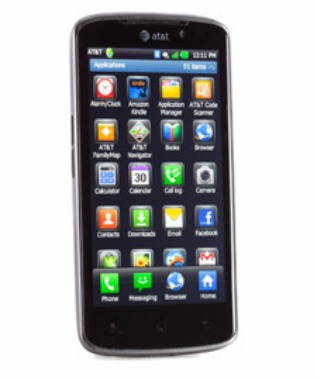
How to unlock Acer beTouch E140 locked to AT&T for free

Equally smart, compact, and trendy is the Acer beTouch E140, a 12.8-millimeter thin Android 2.2 phone with a borderless 2.8-inch QVGA touchscreen display. It comes equipped with a Qualcomm 7227 processor, an updated JavaScript engine, high-speed WiFi/3G/Bluetooth connectivity, eye-popping Acer UI widgets, and all the flexibility of the open-source Android system. It also comes with built-in internet, Gmail, Facebook, Twitter, YouTube, Google Talk, and Multimedia streaming (Spinlets) and playback (NemoPlayer) apps, while giving you one-touch access to hundreds of thousands more applications available for download from the Android market.

Unlock your Acer beTouch E140 at FreeUnlocks

Unlock your Acer beTouch E140 for free using a remote unlock code, remote meaning NO SOFTWARE and NO CABLES, all you have to do is follow the reference on to how to unlock it together with the unlock code that we have sent you.

You don’t need to be a technician in order to unlock your phone, you can do it yourself!

Is it safe to unlock you Acer beTouch E140 using IMEI unlocking codes?

Our unlocking method is absolutely safe and secure. The phone is not subjected to any modification of software—meaning if you unlock your Acer beTouch E140, it will remain unlocked after any software updates.

Also, we are using the same techniques as manufacturers do when unlocking so it is very safe.

Will unlocking my Acer beTouch E140 voids my warranty?

Unlocking your Acer beTouch E140 will not affect your warranty. All new devices are default unlocked, manufacturers only locks the phone by carrier’s or service provider’s demand.

Is it possible to unlock my Acer beTouch E140 for free?

Absolutely yes! It is very possible. FreeUnlocks gives out free unlock code is that because TrialPay is sponsoring your unlock code after completing a trail offer from one of TrialPay’s Advertising Partners. For further information about TrialPay, please click here.

What are my benefits if I will unlock my Acer beTouch E140?

  1. If you are a traveller, you can just buy local SIM cards in order to save a lot amount of money from International Roaming Fees.
  2. Free from any restrictions to any service provider worldwide.
  3. Reselling value of the phone would increase dramatically.
  4. The phone is permanently unlocked even after updates.
  5. No Software and Cables.
  6. No Technical Experience needed Easy and effortless instruction.
  7. It is LEGAL!

How can I unlock my Acer beTouch E140 locked to AT&T?

Unlock my Acer beTouch E140 NOW! Click here and it will direct you to our website on how to unlock your Acer beTouch E140.

After clicking the link provided, you will be given 2 choices on how to begin, a “Get It Free” and a “Buy Now” option.

Get It Free” is a process to where you will have the option to complete a free trial offer from one of TrialPay Partners before you receive your unlock code. TrialPay is a sponsor that is paying your unlock code from us.

Buy Now” is a process in which to purchase the unlock code directly through TrialPay’s secure check out using PayPal or Credit Card.

After checking out using TrialPay secure check out system, you will be receiving an email containing your order # and an activation number for you to process your unlocking code manually. After processing your unlock code using Unlock on Order system, you will be receiving another email with the unlock code and a reference on how to unlock it.

How to unlock your Acer beTouch E140 using FreeUnlocks unlock code

  1. Power ON the phone with a NON accepted SIM card
  2. Enter unlock code when prompted
  3. Your phone is now unlocked!

Can we unlock your phone? Start here!

Feb 17

How to unlock Alcatel One Touch 806 for free

The Alcatel One touch has a built-in One Touch Mail feature that automatically pushes your emails and PIM data to your phone as soon as it is sent to you without having to pro-actively connect to a service every time you want to send or receive an email. The Alcatel One Touch 806 features 2.8” 320 x 240 pixels touch screen and a full QWERTY keyboard that you can use the same time, has a 2 megapixel photo snapper with ‘instant share’ feature, a powerful MP3 player and FM radio, expandable memory slot and 3.5mm earphone jack, and long battery life.

Unlock your Alcatel OneTouch 806

Unlock your Alcatel OneTouch 806 for free using a remote unlock code, remote meaning NO SOFTWARES and NO CABLES, all you have to do is follow the reference on how to unlock it together with the unlock code that we have sent you.

You won’t need a technician in order to unlock your Alcatel One Touch 806, you can unlock it yourself!

Is it safe to unlock your Alcatel OneTouch 806 using IMEI # unlocking code?

Our unlocking method is absolutely safe and secure. The phone is not subjected to any modification of software—meaning if you unlocked your Alcatel OneTouch 806, it will remain unlocked after any software updates.

Also, we are using the same technique as manufacturers do when unlocking so it is very safe.

Will unlocking my Alcatel OneTouch 806 void my warranty?

Unlocking your Alcatel OneTouch 806 won’t affect your warranty because our technique is the same as manufacturers would do it. All new devices are by default unlocked. Manufacturers only locked the phones by carriers or by service provider’s demand.

Why unlock your Alcatel OneTouch 806?

  1. If you are a traveller, you can just buy local SIM cards in order to save a lot amount of money from International Roaming Fees.
  2. Free from any restrictions to any service provider worldwide.
  3. Reselling value of the phone would increase dramatically.
  4. The phone is permanently unlocked even after updates.
  5. No Software and Cables.
  6. No Technical Experience needed Easy and effortless instruction.
  7. It is LEGAL!

Unlocking your Alcatel OneTouch 806 is now available on FreeUnlocks!! Click here and it will direct you to our website on how to unlock your Alcatel One Touch 806.

After clicking the link provided, you will be given choices on how to proceed, a “Get It Free” and a “Buy Now” option.

Get It Free” is a process to where you will have the option to complete a free trial offer from one of TrialPay Partners before you receive your unlock code. TrialPay is a sponsor that is paying your unlock code from us.

Buy Now” is a process in which to purchase the unlock code directly through TrialPay’s secure check out using PayPal or Credit Card.

After checking out using TrialPay secure check out system, you will be receiving an email containing your order # and an activation number for you to process your unlock code manually. After processing your unlock code using Unlock on Order system, you will be receiving another email with the unlock code and a reference on how to unlock it.

How to unlock your Alcatel OneTouch 806 using FreeUnlocks unlock code

  1. Switch ON your phone without a SIM card.
  2. Then compose *#0000*CODE#
  3. To finish *#0001*CODE#

              OR

  1. Switch ON your phone with a NOT ALLOWD SIM card.
  2. When the message “Enter Network Key” appear, enter the unlock code that FreeUnlocks.com sent you.

Can we unlock your phone? Start here!

Feb 16

How to unlock LG Thrill 4G P925 for free

The LG Thrill 4G P925 is the AT&T version of the LG Optimus 3D Smartphone and everything that appears in its 4.3-inch touch screen, you can view in 3D. This mobile beast not only captures 3D content via its stereoscopic dual 5MP camera feature, it also gives you 3D without the needs of glasses. Even its specs, it is powered by an Android OS v2.2, Dual-Core 1GHz ARM Cortex A9 processor,  512MB RAM, 8GB—very unlikely for a phone. You can call it whatever you want.

Unlock your LG Thrill 4G P925 at FreeUnlocks

Unlock your LG Thrill 4G P925 for free using a remote unlock code, remote meaning NO SOFTWARE and NO CABLES, all you have to do is follow the reference on to how to unlock it together with the unlock code that we have sent you.

You don’t need to be a technician in order to unlock your phone, you can do it yourself!

Is it safe to unlock my LG Thrill 4G P925 using IMEI unlocking codes?

Our unlocking method is absolutely safe and secure. The phone is not subjected to any modification of software—meaning if you unlock your LG Thrill 4G P925, it will remain unlocked after any software updates.

Also, we are using the same techniques as manufacturers do when unlocking so it is very safe.

Will unlocking my LG Thrill 4G P925 voids my warranty?

Unlocking your LG Thrill 4G P925 will not affect your warranty. All new devices are default unlocked, manufacturers only locks the phone by carrier’s or service provider’s demand.

Is it possible to unlock my LG Thrill 4G P925 for free?

Absolutely yes! It is very possible. FreeUnlocks gives out free unlock code is that because TrialPay is sponsoring your unlock code after completing a trail offer from one of TrialPay’s Advertising Partners. For further information about TrialPay, please click here.

What are my benefits if I will unlock my LG Thrill 4G P925?

  1. If you are a traveller, you can just buy local SIM cards in order to save a lot amount of money from International Roaming Fees.
  2. Free from any restrictions to any service provider worldwide.
  3. Reselling value of the phone would increase dramatically.
  4. The phone is permanently unlocked even after updates.
  5. No Software and Cables.
  6. No Technical Experience needed Easy and effortless instruction.
  7. It is LEGAL!

How can I unlock my LG Thrill 4G P925?

Unlock my LG Thrill 4G P925 NOW! ß Click here and it will direct you to our website on how to unlock your LG Thrill 4G P925. After clicking the link provided, you will be given 2 choices on how to begin, a “Get It Free” and a “Buy Now” option.

Get It Free” is a process to where you will have the option to complete a free trial offer from one of TrialPay Partners before you receive your unlock code. TrialPay is a sponsor that is paying your unlock code from us.

Buy Now” is a process in which to purchase the unlock code directly through TrialPay’s secure check out using PayPal or Credit Card.

After checking out using TrialPay secure check out system, you will be receiving an email containing your order # and an activation number for you to process your unlocking code manually. After processing your unlock code using Unlock on Order system, you will be receiving another email with the unlock code and a reference on how to unlock it.

After receiving our email with your unlock code, your unlock code will look like this:  NCK: XXXXXXXXXXXXXXXXX NSCK: XXXXXXXXXXXXXXXXX SPCK: XXXXXXXXXXXXXXXXX CPCK: XXXXXXXXXXXXXXXXX SIMCK: XXXXXXXXXXXXXXXXX

Note: If the phone is asking for the Network Unlock Code—use the NCK and if the phone is asking for a Service Provider Unlock Code—use the SPCK provided.

How to unlock LG Thrill 4G P925 using FreeUnlocks unlock code

  1. Power ON the LG Thrill 4G P925 with the original SIM card in.
  2. Enter 2945#*925#
  3. A menu will pop up prompting for an unlock code
  4. Enter the unlock code that we have sent you and hit OK.
  5. Your LG phone will restart.
  6. Put in any SIM card you want, you will need to make a call for the NEW SIM card to initialise with the phone.

    Please watch the video from one of our customer unlocking his LG Thrill P925 using FreeUnlocks unlock code.

Can we unlock your phone? Start here!

Feb 14

How to unlock your LG Optimus Chic for free

The LG Chick is equipped with a 3.2-inch capacitive TFT touchscreen, 600 MHZ processor Android 2.2 Foryo and Wi-Fi connectivity. The device also allows professionals to easily sync with Outlook Calendar for improved productivity, while offering portable Wi-Fi hotspots to easily share a single 3G connection. The devices are optimized for popular Google Mobile Service including Google Voice Search, Google Voice Actions, Google Goggles, Google Shopper and Google Maps with Navigations and access to Android Market with over 100,000 applications.

Unlock your LG Optimus Chick at FreeUnlocks

Unlock your LG Optimus Chick for free using a remote unlock code, remote meaning NO SOFTWARE and NO CABLES, all you have to do is follow the reference on to how to unlock it together with the unlock code that we have sent you.

You don’t need to be a technician in order to unlock your phone, you can do it yourself!

Is it safe to unlock my LG Optimus Chick using IMEI unlocking codes?

Our unlocking method is absolutely safe and secure. The phone is not subjected to any modification of software—meaning if you unlock your LG Optimus Chick, it will remain unlocked after any software updates.

Also, we are using the same techniques as manufacturers do when unlocking so it is very safe.

Will unlocking my LG Optimus Chick voids my warranty?

Unlocking your LG Optimus Chick will not affect your warranty. All new devices are default unlocked, manufacturers only locks the phone by carrier’s or service provider’s demand.

Is it possible to unlock my LG Optimus Chick for free?

Absolutely yes! It is very possible. FreeUnlocks gives out free unlock code is that because TrialPay is sponsoring your unlock code after completing a trail offer from one of TrialPay’s Advertising Partners. For further information about TrialPay, please click here.

What are my benefits if I will unlock my LG Optimus Chick?

  1. If you are a traveller, you can just buy local SIM cards in order to save a lot amount of money from International Roaming Fees.
  2. Free from any restrictions to any service provider worldwide.
  3. Reselling value of the phone would increase dramatically.
  4. The phone is permanently unlocked even after updates.
  5. No Software and Cables.
  6. No Technical Experience needed Easy and effortless instruction.
  7. It is LEGAL!

How can I unlock my LG Optimus Chick?

Unlock my LG Optimus Chick NOW! ß Click here and it will direct you to our website on how to unlock your LG Cookie Pro GT350.

After clicking the link provided, you will be given 2 choices on how to begin, a “Get It Free” and a “Buy Now” option.

Get It Free” is a process to where you will have the option to complete a free trial offer from one of TrialPay Partners before you receive your unlock code. TrialPay is a sponsor that is paying your unlock code from us.

Buy Now” is a process in which to purchase the unlock code directly through TrialPay’s secure check out using PayPal or Credit Card.

After checking out using TrialPay secure check out system, you will be receiving an email containing your order # and an activation number for you to process your unlocking code manually. After processing your unlock code using Unlock on Order system, you will be receiving another email with the unlock code and a reference on how to unlock it.

After receiving our email with your unlock code, your unlock code will look like this:  NCK: XXXXXXXXXXXXXXXXX NSCK: XXXXXXXXXXXXXXXXX SPCK: XXXXXXXXXXXXXXXXX CPCK: XXXXXXXXXXXXXXXXX SIMCK: XXXXXXXXXXXXXXXXX

Note: If the phone is asking for the Network Unlock Code—use the NCK and if the phone is asking for a Service Provider Unlock Code—use the SPCK provided.

How to unlock LG Optimus Chick using FreeUnlocks unlock code

  1. Power ON the LG Optimus Chick with the original SIM card in.
  2. Enter 2945#*720#
  3. A menu will pop up prompting for an unlock code
  4. Enter the unlock code that we have sent you and hit OK.
  5. Your LG Optimus Chick will restart.
  6. Put in any SIM card you want, you will need to make a call for the NEW SIM card to initialise with the phone.


Can we unlock your phone? Start here!

Older posts «

» Newer posts