Vacation-Proof Mobile Phones

Summer’s here and there is no way you’re vacationing without your favorite mobile phone to make your vacay even more memorable and more entertaining. Here are few ideas to have that ultimate summer vacation.

 

Unlock your mobile phone.

Summer vacation doesn’t mean that you have to isolate yourself from the world you have lived in. How can you share that precious breath taking moments without the use of you smartphone? Because it is locked to a network back home and you are forced to leave it?

Unlock your phone and have a blast!


Mobile phone cases


The most convenient and most reliable way to waterproof your device is obviously to purchase a case that is specially designed for the task. You would need a water proof case to use your unlocked mobile phone so that your unlocked phobe will be well protected against all elements.


DIY solutions

 

Sometimes, you may need to find yourself with the need to create a DIY solution to waterproof your mobile phone, whether it’s due to a skimpy budget or you simply find yourself in an unfortunate situation with limited resources.


Release the unnovative side in you!



Oh No! Tips


Unfortunately, there will be a time when you will accidentally spill water on your gadget or even worse, it might fall and submerge into a body of water. If or when it does, here’s what you do:


1. Act fast. This is the most important thing you can do. The longer your gadget stays in the “trouble” zone, the chances of saving it decrease.


2. Turn off your beloved device as soon as possible, if it turns off due to complete submersion, resist the temptation to power it up to check if it’s working. You must cut power immediately to prevent the electronics from shorting out.


3. Take the battery and sim card out, and let it air dry.


4. If salt water is the culprit liquid, you need to first take out the battery and sim card and dunk your gadget in fresh water first. This will flush out and minimize the salt crystals that can be left behind because pure water on its own is actually not what can harm your gadget the most, but the impurities in it.


So don’t let the Sun, Sea and Sand ruin your summer for you. Vacation-proof your smartphone now and enjoy the summer!
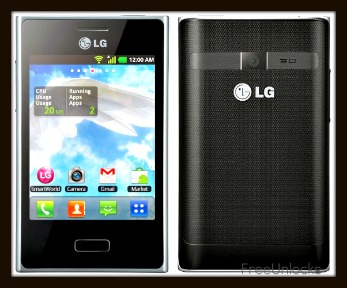
Free LG E400 Optimus L3 Unlock Code

Being budget conscious doesn’t mean that you cannot have stylish gadgets. Take the LG Optimus L3 E400–it’s elegantly styled and looks fantastic, yet is still affordable that it won’t put a hole in your pocket when you get it. It has all the trappings of an Android device–Android 2.3, 800 GHz processor and access to the Android Marketplace–all contained in a smartphone that’s stylish and handy. It sports a 3.2-inch TFT display and connects to the internet via Wi-Fi and 3G.

Unlocking your LG Optimus L3 E400

Unlock your LG Optimus L3 E400 for free using a remote unlock code, remote meaning NO SOFTWARES and NO CABLES, all you have to do is follow the reference on how to unlock it together with the unlock code that we have sent you.

You won’t need a technician in order to unlock your LG Optimus L3 E400, you can unlock it yourself!

Is it safe to unlock my LG Optimus L3 E400 using IMEI unlocking code?

Our unlocking method is absolutely safe and secure. The phone is not subjected to any modification of software—meaning if you unlocked your LG Optimus L3 E400, it will remain unlocked after any software updates.

Also, we are using the same technique as manufacturers do when unlocking so it is very safe.

Will unlocking my LG Optimus L3 E400 voids my warranty?

Unlocking your LG Optimus L3 E400 won’t affect your warranty because our technique is the same as manufacturers would do it. All new devices are by default unlocked. Manufacturers only locked the phones by carriers or by service provider’s demand.

Is it possible to unlock my LG Optimus L3 E400 for FREE?

Absolutely yes! It is very possible. FreeUnlocks gives out free unlock code is that because TrialPay is sponsoring your unlock code after completing a trail offer from one of TrialPay’s Advertising Partners. For further information about TrialPay, please click here.

What are my benefits if I will unlock my LG Cookie GM360i?

  1. If you are a traveler, you can just buy local SIM cards in order to save a lot amount of money from International Roaming Fees.
  2. Free from any restrictions to any service provider worldwide.
  3. Reselling value of the phone would increase dramatically.
  4. The phone is permanently unlocked even after updates.
  5. No Software and Cables.
  6. No Technical Experience needed Easy and effortless instruction.
  7. It is LEGAL!


How can I unlock my LG Optimus L3 E400?

GET IT FREE – Choose the best-corresponding option from the drop-down below, then click “Unlock Now”

After clicking the link provided, you will be given 2 choices on how to begin, a “Get It Free” and a “Buy Now” option.

Get it Free is a process to where you will have the option to complete a free trial offer from one of TrialPay Partners before you receive your unlock code. TrialPay is a sponsor that is paying your unlock code from us.

Buy Now is a process in which to purchase the unlock code directly through TrialPay’s secure check out using PayPal or Credit Card.

After checking out using TrialPay secure check out system, you will be receiving an email containing your order # and an activation number for you to process your unlocking code manually. After processing your unlock code using Unlock on Order system, you will be receiving another email with the unlock code and a reference on how to unlock it.

After receiving our email with your unlock code, your unlock code will look like this:  NCK: XXXXXXXXXXXXXXXXX NSCK: XXXXXXXXXXXXXXXXX SPCK: XXXXXXXXXXXXXXXXX CPCK: XXXXXXXXXXXXXXXXX SIMCK: XXXXXXXXXXXXXXXXX

Note: If the phone is asking for the Network Unlock Code—use the NCK and if the phone is asking for a Service Provider Unlock Code—use the SPCK provided.

How to enter unlock code using FreeUnlocks unlock code

  1. Power on your Optimus L3 E400 with the original SIM card in.
  2. Enter 2945#*400#
  3. A menu will pop up, select SIM Unlock.
  4. Enter your unlock code and hit OK.

Get Your Blackberry Bold Unlock Code and Other Travel Tips

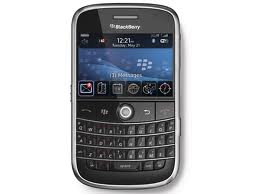
Before you head off anywhere it is a smart move to get a Blackberry Bold unlock code for your phone. This is because you can free it from the original network for free and in a simple process. All you need to do is get your free code online and then power up the phone with no SIM card (or an invalid one) in it. You will then be prompted for the Blackberry unlock code.

This will only take a few minutes and involves no technical expertise at all. So with this out of the way what else do you need to think about before heading off into the sunset?

Take the Charger

This might sound really obvious but every year lots of people go abroad and forget to take their phone charger with them. The Blackberry Bold has an excellent battery life but even it can only last so long with a bit of power.  There is really little point having a fantastic Blackberry Bold unlocked and in your pocket if it is switched off. Remember that some countries use different types of wall sockets too, so you might need to buy an adaptor. These are cheap and easy to buy, with airports generally selling a few different types.

Update the Contacts

Now that you have your Blackberry Bold unlocked it is important that you can phone people when you are away. If you used to avoiding using the phone abroad because of high roaming charges this might be a new concept to you. The use of the Blackberry Bold unlock code before you travel means that you can insert a local SIM code so you should make sure that your list of contacts is up to date so you can give them a call. It is one thing not knowing someone’s number when you are at home and have other ways of contacting them but when you are far from home this can be a lot more troublesome.

Load It Up

What do you need on your phone when you go away? Many people travel with games, music or photos on their phones to keep them entertained during the journey. It is certainly a good idea to load up your Blackberry Bold unlocked device with as much entertainment as you might need. Airports can be terribly boring places and even when you are in your hotel at night you might find that you need a bit of music or some games to help you pass a few hours. Of course, as you are on a local network you might also think about making some calls. Just be sure to check the time difference first, as you wouldn’t be the first person to wake up someone with a phone call at the wrong time of day (or night) when abroad.

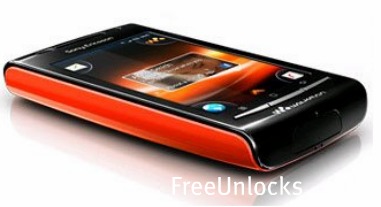
Unlocking Sony Ericsson W8 E16i with Free Unlock Code

The Sony W8 E16i Walkman phone offers all the functionality you can ask for from the easy to use of an Android platform to the trigger-happy friendly 3.2 MP camera, and a great buddy in the form of the Walkman offering easy access to your favourite tracks. You’ll also love the PlayNow App , which allows fast downloads of Music from a plethora of artists. Apart from the music to keep you company while you’re driving, the Sony W8 E16i has an integrated GPS function enabling you to find your way wherever you are.

Unlock your Sony W8 E16i for free using a remote unlock code, remote meaning NO SOFTWARES and NO CABLES, all you have to do is follow the reference on how to unlock it together with the unlock code that we have sent you.

You won’t need a technician in order to unlock your Sony Ericsson, you can unlock it yourself!

Is it safe to unlock my Sony W8 E16i using IMEI unlocking code?

Our unlocking method is absolutely safe and secure. The phone is not subjected to any modification of software—meaning if you unlocked your Sony Ericsson, it will remain unlocked after any software updates.

Also, we are using the same technique as manufacturers do when unlocking so it is very safe.

Will unlocking my Sony Ericsson voids my warranty?

Unlocking your Sony W8 E16i won’t affect your warranty because our technique is the same as manufacturers would do it. All new devices are by default unlocked. Manufacturers only locked the phones by carriers or by service provider’s demand.

Is it possible to unlock my Sony Ericsson for FREE?

Absolutely yes! It is very possible. FreeUnlocks gives out free unlock code is that because TrialPay is sponsoring your unlock code after completing a trail offer from one of TrialPay’s Advertising Partners. For further information about TrialPay, please click here.

Why unlock your Sony W8 E16i?

  1. If you are a traveller, you can just buy local SIM cards in order to save a lot amount of money from International Roaming Fees.
  2. Free from any restrictions to any service provider worldwide.
  3. Reselling value of the phone would increase dramatically.
  4. The phone is permanently unlocked even after updates.
  5. No Software and Cables.
  6. No Technical Experience needed Easy and effortless instruction.
  7. It is LEGAL!


Unlocking your Sony W8 E16i is available on FreeUnlocks!

CLICK HERE AND IT WILL DIRECT YOU TO OUR WEBSITE ON HOW TO UNLOCK YOUR SONY ERICSSON W8 E16i PHONE.

After clicking the link provided, you will be given choices on how to proceed, a “Get It Free” and a “Buy Now” option. “Get It Free” is a process to where you will have the option to complete a free trial offer from one of TrialPay Partners before you receive your unlock code. TrialPay is a sponsor that is paying your unlock code from us. “Buy Now” is a process in which to purchase the unlock code directly through TrialPay’s secure check out using PayPal or Credit Card.

After checking out using TrialPay secure check out system, you will be receiving an email containing your order # and an activation number for you to process your unlock code manually. After processing your unlock code using Unlock on Order system, you will be receiving another email with the unlock code and a reference on how to unlock it.

How to unlock Sony Sony W8 E16i using our unlock code.

1. Put in a SIM card from a non accepted network
2. Turn on the phone
3. It will then request for an unlock code
4. Press the unlock code box with your finger and then the number pad will appear at the bottom of screen
5. Input the unlock code
6. Press “UNLOCK” button which is below the unlock code box on screen

How to Unlock HTC Sensation Phones and Why

When it was launched the HTC Sensation was the fastest Android phone in the world, and even now – almost a year later – it remains a very desirable device.

There are a few different reasons for wanting your HTC Sensation unlocked, so let’s start by taking a look at them:

To Use It Abroad

When you have such a smart and fast phone you certainly don’t want to leave it at home while you travel the world. A far more satisfying approach is to her an HTC Sensation unlock code and get it sorted out before you travel. You don’t need to worry about it taking a long time or costing you a lot of money, as it is a quick and free process.

To Switch Network

With your HTC Sensation unlocked and free of the original network you can then hook it up to the network of your choice. This isn’t a big deal for a lot of us but you might just find that the chance to switch networks comes in really useful one day. It certainly won’t ever be something you regret doing.

To Sell It

It might sound strange but once you unlock HTC Sensation phones they are more attractive to potential purchasers. If you are thinking of selling it at some point then you can make the selling process quicker and easier by unlocking the phone first.

How to Do It

Now that you know some of the main benefits of an HTC Sensation unlock code you are probably keen to get one and start the process. The first thing you need is the phone’s IMEI number. The simplest way of getting it is by looking for a 15 digit number under the battery. If it isn’t there then you should type *#06# and then send. This will result in your IMEI number being forwarded on to you.

The Next Steps

As you can unlock HTC Sensation free there is no need to even look at the sites who charge you money to do this. With your IMEI code in your possession you can go straight to a site which offers you a free HTC Sensation unlock code. Once you give them your IMEI number you will get your free unlock code sent straight on to you. At this point you need to switch on the device without the SIM card in it.

You will now be asked for the unlock code and all you need to do is type in the code you just received. The simplicity and speed with which an HTX Sensation can be unlocked for free means that there is simply no reason not to do it. Even if you don’t plan on using it abroad or selling it in the near future you can still be safe in the knowledge that it is unlocked for whenever you do need to use it that way.