How to unlock Samsung Galaxy Nexus for free

The Samsung Galaxy Nexus is the newest Android phone on the market. It is the first smart phone that is operated by Android 4.0 Ice Cream Sandwich OS, the sweetest version yet. All new features include Android Beam for NFC Sharing and Face unlock which replaces lock with a smile. The Samsung Galaxy Nexus is the best in portability at just 9.47 mm thin and it is powered by 1.2GHz Dual-Core processor built to sore on 4G LTE. It features the first super HD AMOLED that lets you share, view HD Photos and Videos with its 5-megapixel camera with flash.

Unlocking Samsung Galaxy Nexus with a remote unlock code is now available at FreeUnlocks.

Unlocking this phone requires an unlock code that is remotely sent to your email. Get your Free unlock code fast and easy and experience the new world waiting for you once you have unlock your Samsung Galaxy Nexus phone. In order for you to unlock your phone you will need your IMEI # (by dialling *#06# or by looking under the battery), Brand/Model of the Phone, Country and Service Provider that your phone is currently locked to.

After you have located your IMEI #, click here and it will direct you to our website on how to unlock your Samsung Galaxy Nexus for Free!

On our webpage, you will be given a drop-down menu with options where you can choose which best corresponds to the Tool that you require.

All we need is your phone’s IMEI number, its model number, and the network to which it is currently locked.

After clicking the right option, you will be given choices of TrialPay offers- Before receiving the unlock code; you will have an option to complete one of the offers from TrialPay’s Partners.

ALL Unlock codes are available via PayPal or Credit Card through TrialPay secure checkout.

After purchasing the unlock code you will be receiving an email from us, mostly instant, with your IMEI #, Unlock Code, and How to unlock instructions.

 Is it safe to unlock my Samsung Galaxy Nexus using IMEI unlocking code?

Our unlocking method is absolutely safe and secure. The phone is not subjected to any modification of software—meaning if you unlocked your Samsung Galaxy Nexus, it will remain unlocked after any software updates.

Also, we are using the same technique as manufacturers do when unlocking so it is very safe.

Will unlocking my Samsung Galaxy Nexus voids my warranty?

Unlocking your Samsung Galaxy Nexus won’t affect your warranty because our technique is the same as manufacturers would do it. All new devices are by default unlocked. Manufacturers only locked the phones by carriers or by service provider’s demand.

Why unlock your Samsung Galaxy Nexus?

  1. If you are a traveller, you can just buy local SIM cards in order to save a lot amount of money from International Roaming Fees.
  2. Free from any restrictions to any service provider worldwide.
  3. Reselling value of the phone would increase dramatically.
  4. The phone is permanently unlocked even after updates.
  5. No Software and Cables.
  6. No Technical Experience needed Easy and effortless instruction.
  7. It is LEGAL!

How to enter unlock code to your Samsung Galaxy nexus using FreeUnlocks unlock code.

If you have purchased the unlock code from FreeUnlocks, your code will look something like this: “Here is your unlock code: NCK: 12345678 MCK (unfreeze): 12345678 SCK: 12345678 SPCK: 12345678”

  1. Turn on the power of your Samsung Galaxy nexus with a NON ACCEPTED SIM card.
  2. If the phone asks, enter your P.I.N. code
  3. Enter the unlock code (NCK)
  4. The phone is now unlocked!

Turn on the power of your Samsung Galaxy Nexus with a NON ACCEPTED SIM card. If your Samsung will not ask for the unlock code, you should:

Compose: #7465625*638*Unlock code*# ——– or———-*#7465625*638*Unlock code*#——–or——–#0111*Unlock code#

How to unlock your HTC Inspire 4G for free

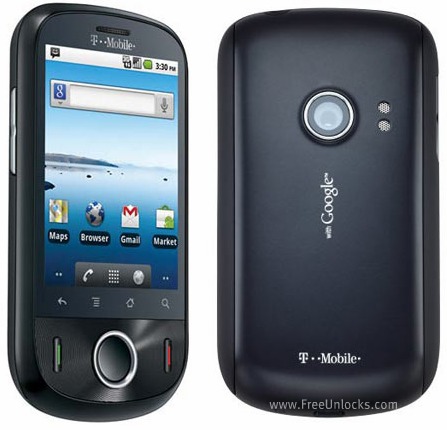
The HTC Inspire 4G is one of the earliest mobile phone that support 4G connections. The HTC Inspire is equipped with high-grade materials and an 8 mega-pixel camera with 720pvideo capture, Qualcomm Snapdragon MSM8255 @ 1GHz, 768 MB RAM, 4GB ROM, Android 2.2.1 Platform and a 4.3 inch capacity LCD display @ 480×800.

Why unlock your HTC Inspire 4G?

Almost all of the mobile phones are locked to a service provider limiting you to use a different SIM cards. This is because they want to keep you alone and you have to use their services even though sometimes is a bit expensive.

FreeUnlocks offers a mobile phone life changing experience; it can unlock your phone from any service providers worldwide so that you will have the luxury of using your phone with the service provider services that you want.

Also, when you unlock your HTC Inspire 4G you will not need to worry about those international roaming fees because you can choose a local SIM card and use it if you’re travelling abroad. It can increase vastly the reselling value of your phone.

Will it void my warranty?

Unlocking your mobile phone remotely will not void the warranty of your HTC Inspire 4G because we use the same technique or tools that the manufacturers used in order to unlock the phone. When we say remotely, meaning we unlock phones using unlock code without cables and software.

What will I do to unlock it?

This is where our website comes to play, FreeUnlocks gives you a convenient way to choose an option on how to get your unlock code. When you decide to unlock your phone, you won’t need an unlocking experience since we do include a reference for every emailed unlock code that we sent out.

What to do is just go to this webpage link and after doing you will be given 2 options. A “Get it free” and “Buy now” options.


Option 1 is “Get It Free” meaning that before you can get your unlock code you have the option to complete a free trial offer from one of TrialPay’s Partners. TrialPay is the one who will be paying for the unlock code you ordered, you check out the offers safely and without obligations!

Option 2 is to “Buy Now” meaning if you’re in a hurry to unlock your phone and payment is not a problem then you can click “Buy Now” and it will direct you to TrialPay’s secure check out. You can purchase our unlock code in PayPal or Credit Card transaction using TrialPay secure checkout.

After checking out for either both options, an order # and activation number will be given for you to use it to process your unlock code to our manual Unlock on Oder webpage. Once you have successfully processed the unlock code, there will be an email from us with your unlock code and a reference on how to unlock it. It’s that easy!

How to unlock your HTC Inspire 4G with FreeUnlocks unlock code.

1 – Switch ON mobile with a not Allowed SIM Card,

2 – If phone ask, enter the PIN code of your SIM Card

3 – Now phone will ask you to enter the unlocking code !

How to unlock BlackBerry Torch 9860 for free

The Torch 9860 is possibly one the sexiest handset to date, having curves in all the right places with an almost velvety-matte finish at the back and accented with a sophisticated and lassy silver top back frame. The Torch 9860 is lighter that its predecessor, the 9800, because of its new all-touch technology.

It is equipped with a 3.7-inch touch screen and it supports WiFi 802.11 b/g/n, Bluetooth 2.1 with A2DP for stereo headphones and HSDPA downloads up to 14.4 Mbps. Photos and video-taking is also made fun because of its awesome 5-megapixel camera with a bright LED Flash.

Unlock your BlackBerry Torch 9860.

Unlock your BlackBerry Torch 9860  for free using a remote unlock code, remote meaning NO SOFTWARES and NO CABLES, all you have to do is follow the reference on how to unlock it together with the unlock code that we have sent you.

Check if your BlackBerry Torch 9860 0 is locked to a service provider/carrier!

You won’t need a technician in order to unlock your BlackBerry Torch 9860, you can unlock it yourself!

Is it safe to unlock my BlackBerry Torch 9860 using IMEI unlocking code?

Our unlocking method is absolutely safe and secure. The phone is not subjected to any modification of software—meaning if you unlocked your BlackBerry Torch 9860, it will remain unlocked after any software updates.

Also, we are using the same technique as manufacturers do when unlocking so it is very safe.

Is it possible to unlock my BlackBerry Torch 9860 for FREE?

Absolutely yes! It is very possible. FreeUnlocks gives out free unlock code is that because TrialPay is sponsoring your unlock code after completing a trail offer from one of TrialPay’s Advertising Partners. For further information about TrialPay, please click here.

 Why unlock your BlackBerry Torch 9860?

  1. If you are a traveller, you can just buy local SIM cards in order to save a lot amount of money from International Roaming Fees.
  2. Free from any restrictions to any service provider worldwide.
  3. Reselling value of the phone would increase dramatically.
  4. The phone is permanently unlocked even after updates.
  5. No Software and Cables.
  6. No Technical Experience needed Easy and effortless instruction.
  7. It is LEGAL!

UNLOCK YOUR BlackBerry Torch 9860  NOW!! <—CLICK HERE AND IT WILL DIRECT YOU TO OUR WEBSITE ON HOW TO UNLOCK YOUR BLACKBERRY PHONE.

After clicking the link provided, you will be given choices on how to proceed, a “Get It Free” and a “Buy Now” option.
Get It Free” is a process to where you will have the option to complete a free trial offer from one of TrialPay Partners before you receive your unlock code. TrialPay is a sponsor that is paying your unlock code from us.

Buy Now” is a process in which to purchase the unlock code directly through TrialPay’s secure check out using PayPal or Credit Card.

After checking out using TrialPay secure check out system, you will be receiving an email containing your order # and an activation number for you to process your unlock code manually. After processing your unlock code using Unlock on Order system, you will be receiving another email with the unlock code and a reference on how to unlock it.

How to unlock your BlackBerry Torch 9860 using FreeUnlocks unlock code

  1. Insert an unaccepted SIM card – one that’s not from the network your phone is locked to.
  2. Select yes when prompted if you want to enter an unlock code
  3. Enter your TORCH 9860 unlock code.

    You will not receive a “Code Accepted” messages or anything of the like,
    but your phone will stand at the homescreen. *

    Wait a few seconds and it should connect to the network carrier that the inserted SIM card is from. *

OR unlock your BlackBerry Torch 9860 with this other steps:

  1. Go to Options -> Device -> Advanced System Settings -> Sim Card
  2. Press and Hold the ALT key and type the letters “mepe” (without the quotes, you will not see anything on the screen when typing)  If the ALT key is not showing on your keyboard hold down the 123 key it will switch to the numeric keyboard with the ALT locked down
  3. Once you see the Personalization Screen type “mep [alt] 2” (without the quotes, you will not see anything on the screen when typing).
  4. You should be prompted for the code. If you’re not prompted for the code, Press and Hold the ALT key and type MEP2
  5. Enter the provided unlock code

How to unlock Samsung Infuse 4G for free

The Samsung Infuse 4G is the thinnest amongst the Samsung’s smart phones out in the market, with just 8.99 mm so it is very easy to hide or slip into pockets. This super smart phone is operated by a 1.2 GHz High Speed Processor runs applications and websites without delays. Imagine combining that super fast processor speed with AT&T’s fastest mobile broadband network is simply AMAZING! And, when combined with enhanced backhaul equals super fast 4G data connection speed with HSPA+ and also with also the help of Android 2.2 Froyo Operating System.

Unlocking Samsung Infuse 4G with a remote unlock code is now available at FreeUnlocks.

Unlocking this phone requires an unlock code that is remotely sent to your email. Get your Free unlock code fast and easy and experience the new world waiting for you once you have unlock your Samsung Infuse 4G phone. In order for you to unlock your phone you will need your IMEI # (by dialling *#06# or by looking under the battery), Brand/Model of the Phone, Country and Service Provider that your phone is currently locked to.

After you have located your IMEI #, click here and it will direct you to our website on how to unlock your Samsung Infuse 4G for Free!

On our webpage, you will be given a drop-down menu with options where you can choose which best corresponds to the Tool that you require.

GET IT FREE – Choose the best-corresponding option from the drop-down below, then click “Unlock Now”

All we need is your phone’s IMEI number, its model number, and the network to which it is currently locked.

After clicking the right option, you will be given choices of TrialPay offers- Before receiving the unlock code; you will have an option to complete one of the offers from TrialPay’s Partners.

ALL Unlock codes are available via PayPal or Credit Card through TrialPay secure checkout.

After purchasing the unlock code you will be receiving an email from us, mostly instant, with your IMEI #, Unlock Code, and How to unlock instructions.

Is it safe to unlock my Samsung Infuse 4G using IMEI unlocking code?

Our unlocking method is absolutely safe and secure. The phone is not subjected to any modification of software—meaning if you unlocked your Samsung Infuse 4G, it will remain unlocked after any software updates.

Also, we are using the same technique as manufacturers do when unlocking so it is very safe.

Will unlocking my Samsung Infuse 4G voids my warranty?

Unlocking your Samsung infuse 4G won’t affect your warranty because our technique is the same as manufacturers would do it. All new devices are by default unlocked. Manufacturers only locked the phones by carriers or by service provider’s demand.

Why unlock your Samsung Infuse 4G?

  1. If you are a traveller, you can just buy local SIM cards in order to save a lot amount of money from International Roaming Fees.
  2. Free from any restrictions to any service provider worldwide.
  3. Reselling value of the phone would increase dramatically.
  4. The phone is permanently unlocked even after updates.
  5. No Software and Cables.
  6. No Technical Experience needed Easy and effortless instruction.
  7. It is LEGAL!

How to enter unlock code to your Samsung Infuse 4G using FreeUnlocks unlock code.

If you have ordered the unlock code from FreeUnlocks, your code will look something like this: “Here is your unlock code: NCK: 12345678 MCK (unfreeze): 12345678 SCK: 12345678 SPCK: 12345678”

  1. Turn on the power of your Samsung Infuse 4G with a NON ACCEPTED SIM card.
  2. If the phone asks, enter your P.I.N. code
  3. Enter the unlock code (NCK)
  4. The phone is now unlocked!

Turn on the power of your Samsung Infuse 4G with a NON ACCEPTED SIM card. If your Samsung will not ask for the unlock code, you should:

Compose: #7465625*638*Unlock code*# ——– or———-*#7465625*638*Unlock code*#——–or——–#0111*Unlock code#

How to unlock Samsung Wave 525 for free

The Samsung Wave 525 is a Bada OS smartphone that offers breakthrough connectivity across popular social networking sites with its social hub technology.  With a touch, users can post, tweet or send a message on Facebook, Twitter and so much more. The device also offers constant connection with lightning-fast Wi-Fi support. Geo-tagging lets you tag photos by location so that you can easily sort images based on whether they are from you summer vacation or a business trip. This 2.5G GPRS/EDGE quad band phone has a 3.2-inch display with 3.0-megapixel camera that is also capable of video and recording.

Unlocking Samsung Wave 525 with a remote unlock code is now available at FreeUnlocks.

Unlocking this phone requires an unlock code that is remotely sent to your email. Get your Free unlock code fast and easy and experience the new world waiting for you once you have unlock your Samsung Wave 525 phone. In order for you to unlock your phone you will need your IMEI # (by dialling *#06# or by looking under the battery), Brand/Model of the Phone, Country and Service Provider that your phone is currently locked to.

After you have located your IMEI #, click here and it will direct you to our website on how to unlock your Samsung Wave 525 for Free!

On our webpage, you will be given a drop-down menu with options where you can choose which best corresponds to the Tool that you require.


All we need is your phone’s IMEI number, its model number, and the network to which it is currently locked.

After clicking the right option, you will be given choices of TrialPay offers- Before receiving the unlock code; you will have an option to complete one of the offers from TrialPay’s Partners.

ALL Unlock codes are available via PayPal or Credit Card through TrialPay secure checkout.

After purchasing the unlock code you will be receiving an email from us, mostly instant, with your IMEI #, Unlock Code, and How to unlock instructions.

 Is it safe to unlock my Samsung Wave 525 using IMEI unlocking code?

Our unlocking method is absolutely safe and secure. The phone is not subjected to any modification of software—meaning if you unlocked your Samsung Wave 525, it will remain unlocked after any software updates.

Also, we are using the same technique as manufacturers do when unlocking so it is very safe.

Will unlocking my Samsung Wave 525 voids my warranty?

Unlocking your Samsung Wave 525   won’t affect your warranty because our technique is the same as manufacturers would do it. All new devices are by default unlocked. Manufacturers only locked the phones by carriers or by service provider’s demand.

Why unlock your Samsung Wave 525?

  1. If you are a traveller, you can just buy local SIM cards in order to save a lot amount of money from International Roaming Fees.
  2. Free from any restrictions to any service provider worldwide.
  3. Reselling value of the phone would increase dramatically.
  4. The phone is permanently unlocked even after updates.
  5. No Software and Cables.
  6. No Technical Experience needed Easy and effortless instruction.
  7. It is LEGAL!

How to enter unlock code to your Samsung Wave 525 using FreeUnlocks unlock code.

If you have ordered the unlock code from FreeUnlocks, your code will look something like this: “Here is your unlock code: NCK: 12345678 MCK (unfreeze): 12345678 SCK: 12345678 SPCK: 12345678

  1. Turn on the power of your Samsung Wave 525 with a NON ACCEPTED SIM card.
  2. If the phone asks, enter your P.I.N. code
  3. Enter the unlock code (NCK)
  4. The phone is now unlocked!

Turn on the power of your Samsung Wave 525 with a NON ACCEPTED SIM card. If your Samsung will not ask for the unlock code, you should:

Compose: #7465625*638*Unlock code*# ——– or———-*#7465625*638*Unlock code*#——–or——–#0111*Unlock code#